Why Google Business Profile Optimizations Matter for Local Search Success
Google Business Profile tips are the fastest way to improve how your business shows up on Google Search and Maps.
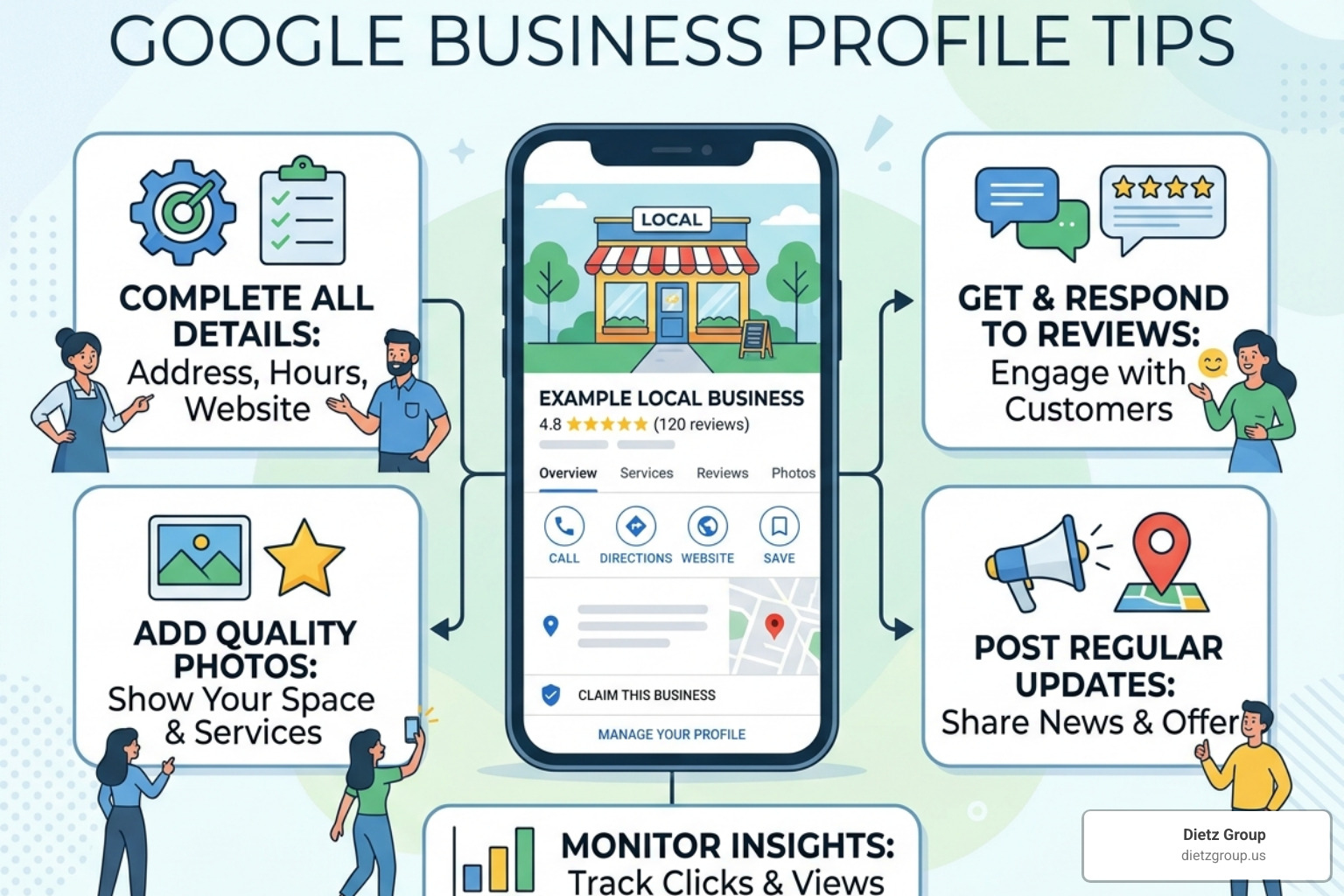
Here are the most important tips to get started:
- Claim and verify your profile so you control your business information
- Complete every field — name, address, phone, hours, description, categories
- Choose the right primary category that best matches your core service
- Add photos and videos regularly to build trust and engagement
- Ask customers for reviews and respond to every single one
- Use Google Posts to share updates, offers, and events
- Populate the Q&A section with answers to common customer questions
- Keep your hours accurate, including holidays and special dates
- Track your profile insights to see what’s working
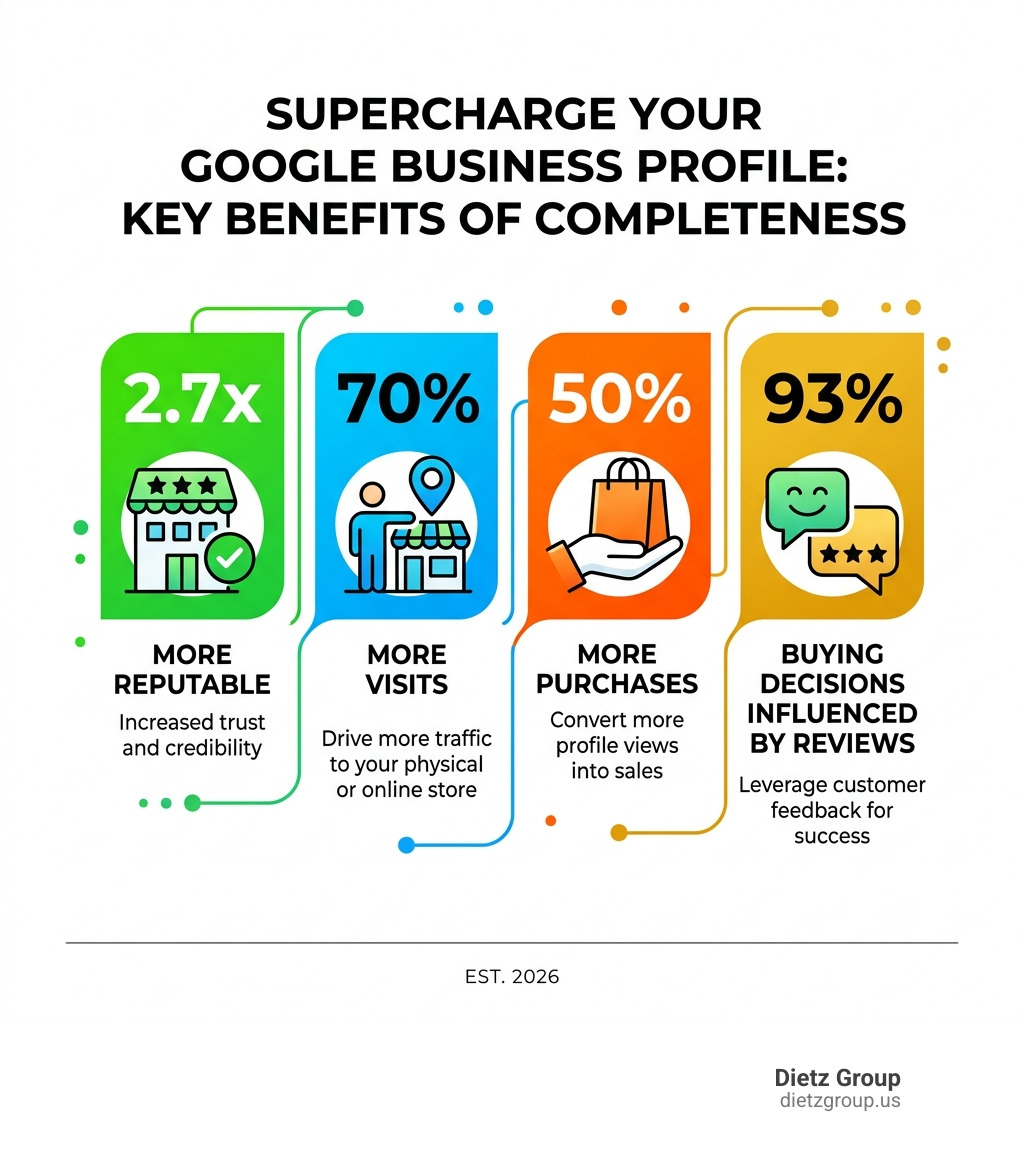
The stakes are real. Customers are 2.7 times more likely to consider your business reputable when they find a complete profile. They’re also 70% more likely to visit and 50% more likely to buy from you.
And with over 91% of all searches happening on Google, your Business Profile is often the first impression you make — before a potential customer ever visits your website.
If your profile is incomplete, outdated, or ignored, you’re handing leads to your competitors.
I’m Rob Dietz, a digital marketing consultant and SEO expert who has been managing Google marketing campaigns since 2008 — and Google Business Profile tips are some of the highest-impact advice I give to small business owners looking to win more local customers. In the sections below, I’ll walk you through exactly what to do and why it works.
The Foundation: Claiming and Verifying Your Profile
Before we dive into the advanced Google Business Profile tips, we have to get the basics right. You can’t optimize what you don’t own. If you haven’t already, your first step is to get a Google Business Profile by visiting google.com/business.
Verification is Google’s way of ensuring you are the actual owner or authorized representative of the business. This process is vital because it tells Google you’re a legitimate entity, which is a massive trust signal for local rankings. We always recommend using a business domain email (e.g., name@yourbusiness.com) rather than a generic Gmail account to claim your profile. It looks more professional and centralizes your digital assets.
When setting up your profile, you must follow the official guidelines for representing your business on Google. This means your business name must match your real-world branding. Don’t try to “hack” the system by adding keywords like “Best Plumber in Monroe” to your business name if that isn’t on your physical signage. Google is strict about this, and violations can lead to a dreaded profile suspension.
Mastering Video Verification
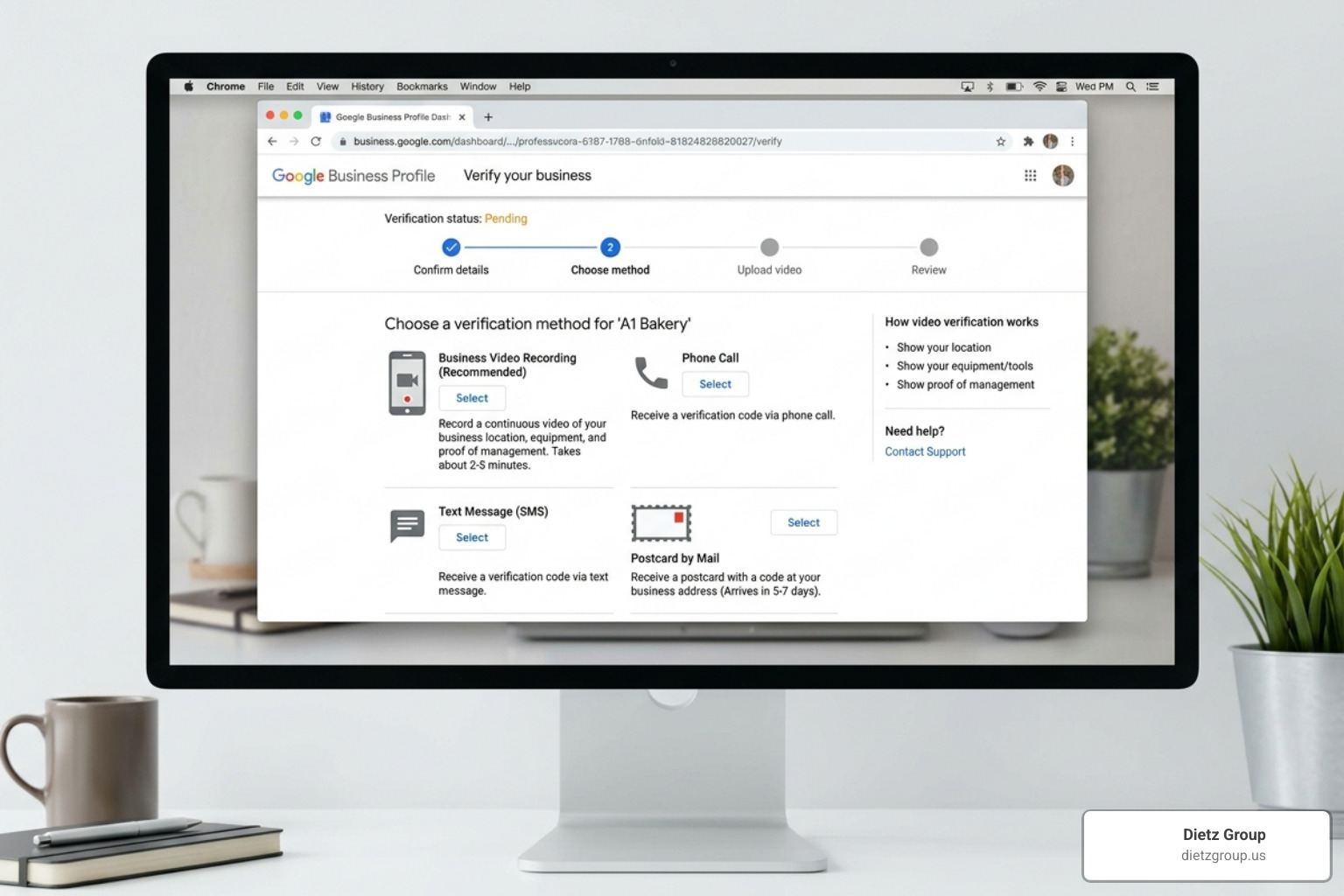
In April 2026, video verification has become the standard for most new listings and major profile changes. While the old “postcard in the mail” method still exists for some, Google increasingly prefers a live or recorded video of your business location.
Many owners face challenges with video verification, such as the upload failing or Google rejecting the footage. To succeed, you need to show three things in one continuous take:
- Your location: Film your street sign or the exterior of your building.
- Business evidence: Show your storefront signage or branded vehicles.
- Proof of management: Film yourself unlocking the front door or accessing a “staff only” area like a point-of-sale system.
For more detailed help, check out our video verification tips to ensure you pass on the first try. Once verified, you gain full control over your information, allowing you to start the real optimization work.
Essential Google Business Profile Tips for Maximum Visibility
Now that you’re verified, it’s time to fill out every single field. A complete profile isn’t just for the customers; it provides Google’s AI with the data it needs to categorize you. If you’re wondering what is a Google Business Profile exactly, think of it as your digital storefront that lives right on the search results page.
One of the most critical Google Business Profile tips is maintaining NAP consistency. NAP stands for Name, Address, and Phone number. This data must be identical across your website, your Google profile, and other online directories. If your website says “Suite 100” but Google says “Ste. 100,” it can create a tiny bit of friction in the algorithm’s trust.
You also need a killer business description. You have 750 characters to explain who you are and what you do. Don’t just list services; tell your story. Use keywords naturally—for example, if you are a roofer, mention “roof repair” and “shingle replacement”—but write for humans first. According to Semrush, keyword-rich descriptions help with relevance, but keyword stuffing will just turn potential customers away.
Choosing the Right Categories
Your primary category is perhaps the single most important ranking factor on your profile. It should describe what your business is, not what it has. For example, if you run a pizza shop that also delivers, your primary category should be “Pizza Restaurant,” not “Delivery Service.”
Google allows you to choose one primary and up to nine secondary categories. Use these to capture the breadth of your offerings. If you’re a dental practice, “Dentist” is your primary, but “Cosmetic Dentist” and “Pediatric Dentist” are excellent secondaries. Be specific; choosing “Bakery” is much more effective than the broad “Restaurant” if you only sell bread and pastries. For more on this, Google’s guide on how to complete your profile offers great insights into category selection.
Optimizing Products and Services
Don’t leave the “Services” or “Products” sections blank. This is where you can truly dominate high-intent searches. When a customer searches for a specific service like “emergency AC repair,” Google looks at your services list to see if you’re a match.
- Product Editor: Use this to showcase physical items with photos and descriptions. Even service-based businesses can use this to “productize” their offerings (e.g., “Standard Home Inspection Package”).
- Service Menus: List every individual service you provide. Instead of just “Plumbing,” add “Faucet Installation,” “Drain Cleaning,” and “Water Heater Repair.”
Properly managing your profile details like these ensures that when someone is ready to buy, you are the obvious choice.
Engaging Customers Through Reviews, Posts, and Q&A
Visibility gets you seen, but engagement gets you hired. Your profile is a living, breathing social channel. If you treat it like a static “set it and forget it” yellow pages ad, you’re missing out on the “prominence” factor that Google uses to rank businesses.
One often overlooked feature is the ability to chat with your customers directly through the profile. Enabling messages allows you to answer questions in real-time, which is a massive conversion booster.
Another essential tool is Google Posts. These are like mini-advertisements that appear at the bottom of your profile. You can use them to share:
- Updates: “We just installed a new showroom!”
- Offers: “10% off for first-time customers this month.”
- Events: “Join us for our grand reopening on Saturday.”
Regular posting sends a signal to Google that your business is active and reliable. For a deeper dive into these strategies, our Google Business Profile webinar covers how to use these features to drive actual leads.
Managing Customer Reviews
Reviews are the lifeblood of local SEO. Statistics show that 93% of customers make buying decisions based on reviews, and 88% trust them as much as a personal recommendation. But it’s not just about the number of stars; it’s about “review velocity” (how often you get new ones) and your response rate.
You must respond to every review—the good, the bad, and the ugly.
- Positive reviews: Thank the customer and mention a specific detail (e.g., “Glad you loved the new hardwood floors, Mike!”).
- Negative reviews: Stay professional. Acknowledge the issue, apologize, and offer to move the conversation offline.
Responding to reviews shows you care, and Results Repeat notes that 89% of customers expect a response. It’s a major trust signal for both the customer and Google’s algorithm.
Leveraging the Q&A Section
The Q&A section is a goldmine that 91% of businesses completely ignore. This is a public space where anyone can ask a question—and anyone can answer. Don’t let a random stranger answer questions about your pricing or hours!
Be proactive. You are allowed to post your own questions and answer them yourself. Think of it as a “Featured FAQ.”
- Q: Do you offer free estimates?
- A: Yes! We offer free, no-obligation estimates for all residential projects. Call us today to schedule.
This not only helps the customer but also allows you to weave in natural keywords that improve your SEO.
Understanding Local Ranking Factors and Performance Tracking
To truly “supercharge” your presence, you need to understand how Google decides who gets into the “Local 3-Pack” (the top three results shown on the map). Google officially lists three main ranking factors:
- Relevance: How well your profile matches the search term. (This is why categories and descriptions matter!)
- Distance: How far your business is from the person searching. (You can’t change your location, but you can optimize your “service areas.”)
- Prominence: How well-known your business is. This includes your review count, your position in organic search, and links from other reputable sites.
You can find more details on these factors in our Ultimate Google Business Profile Management Guide.
But how do you know if your Google Business Profile tips are actually working? You check the “Insights” (now called Performance) tab. This dashboard shows you:
- Search Keywords: What words people typed to find you.
- Calls: How many people clicked the “Call” button.
- Messages: How many people started a chat.
- Direction Requests: How many people asked for a map to your shop.
- Website Clicks: How many people visited your site from the profile.
Tracking these metrics monthly allows you to see the ROI of your efforts. If you see high direction requests but low website clicks, maybe you need to add a “Book Now” button or update your Google Posts to be more enticing.
Frequently Asked Questions about Google Business Profile Tips
How do I use Google Business Profile tips to rank higher in 2026?
In 2026, ranking higher requires a mix of profile completeness and consistent activity. Ensure your primary category is hyper-specific, keep your NAP data consistent across the web, and maintain a high review velocity. Google’s AI now looks closely at the “freshness” of your content, so regular photo updates and weekly Google Posts are no longer optional—they are essential.
What are the best Google Business Profile tips for managing reviews?
The best tip is to create a repeatable system. Don’t just wait for reviews; ask for them via a direct link sent through text or email after a job is finished. Always follow Google’s policy: never offer incentives (like discounts or freebies) in exchange for reviews. Professionalism is key; even if a reviewer is being unfair, a calm, helpful response from the owner often impresses potential customers more than the original complaint.
How often should I update my profile for best results?
At a minimum, you should check your profile once a week. Use this time to post a new update, upload 2-3 new photos of your recent work or your team, and respond to any new reviews or Q&A. You should also proactively update your “Special Hours” for every upcoming holiday to ensure customers don’t show up when you’re closed.
Conclusion
Mastering Google Business Profile tips is a marathon, not a sprint. While some changes—like fixing your primary category—can have an immediate impact, a truly dominant SEO campaign typically takes 12-18 months to reach its full potential.
At Dietz Group, we combine over 18 years of expertise with cutting-edge AI technology to help businesses dominate their local markets. We don’t just “manage” profiles; we implement high-ROI strategies focused on high-intent searches to make sure that when your customers are looking for help, they find you first.
If you’re ready to stop guessing and start growing, explore our Google Business Profile Management Services today. Let us handle the technical heavy lifting so you can focus on running your business.