Set Up a Google Business Profile That Drives Local Leads
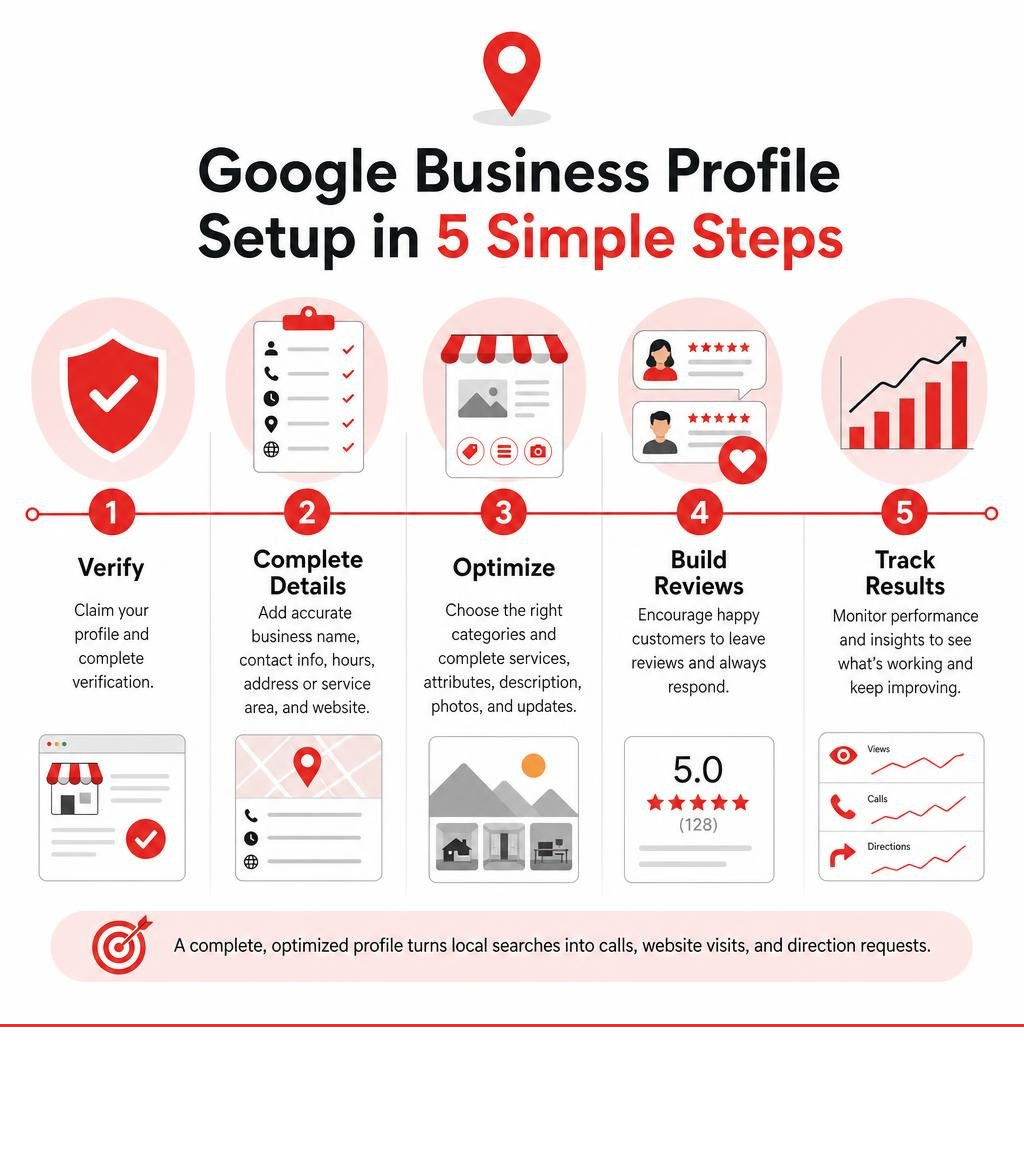
To set up a Google Business Profile for maximum results, follow these essentials:
- Claim or create the profile and complete verification.
- Use your real business name, accurate contact details, hours, address or service area, and website.
- Choose the most specific primary category, then add only truly relevant secondary categories.
- Complete services, attributes, description, photos, updates, and review responses.
- Keep every detail consistent across your website and other business listings.
Nearly half of Google searches have local intent, so a complete, trusted profile can turn nearby searches into calls, website visits, and direction requests. Google evaluates local visibility through relevance, distance, and prominence. Strong setup improves relevance; accurate details and reviews help build prominence.
This is not a one-time task. A good SEO campaign takes 12-18 months for meaningful results, with steady profile updates, fresh photos, and authentic customer feedback helping build momentum over time.
I’m Rob Dietz, a digital marketing consultant with more than 18 years of experience in SEO and Google marketing campaigns. At Dietz Group, I help business owners understand how to set up a Google Business Profile for maximum results without adding unnecessary complexity to their day.
Know your how to set up google business profile for maximum results terms:
- Google Business Profile Audit
- Google Business Profile Optimization Checklist
- Google Business Profile Optimisation
Core Ranking Signals in Google Local Search
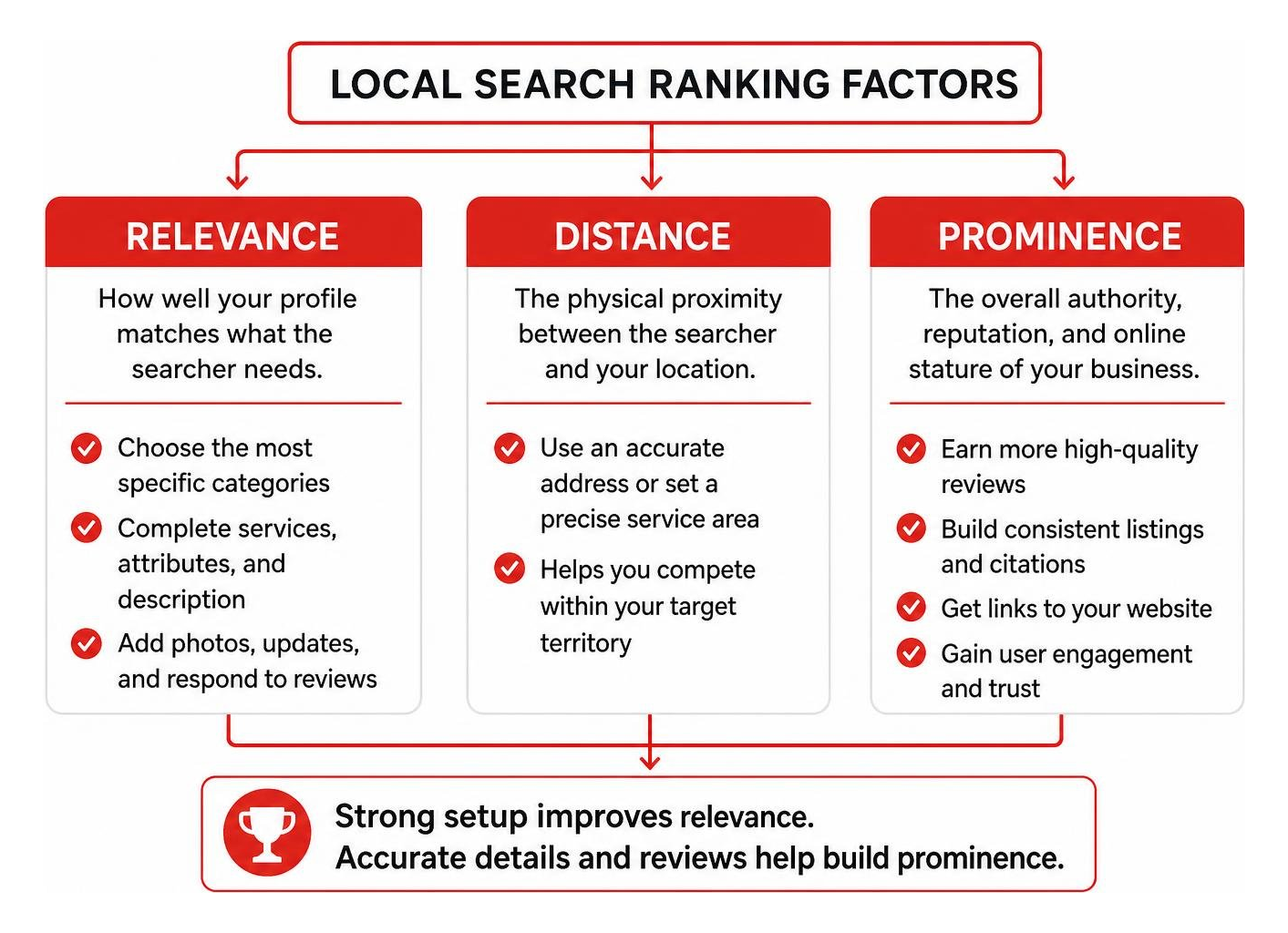
When local customers look for services nearby, Google relies on a complex algorithm to decide which companies appear in the coveted Local 3-Pack. As outlined in the official Google documentation on Tips to improve your local ranking on Google, the local search algorithm operates on three primary ranking pillars:
- Relevance: How well your profile matches what the searcher needs. Detailed categories, comprehensive service menus, and clear business descriptions establish direct topical relevance.
- Distance: The physical proximity between the searcher and your verified address or defined service area. While you cannot manipulate geographic distance, properly configuring your location ensures you compete effectively within your target territory.
- Prominence: The overall authority, reputation, and online stature of your company. This signal is powered by review volume, review sentiment, inbound links to your website, directory citations, and sustained user engagement.
Understanding the dynamic between paid pay-per-click (PPC) ads and organic local search engine optimization (SEO) is critical. While paid campaigns provide immediate, short-term traffic, organic profile optimization builds compounding, permanent visibility. Profiles that showcase high engagement and complete information capture the majority of high-intent clicks and conversions without recurring ad costs.
Entity Alignment and NAP Consistency
Search engines do not just index keywords; they map entities. An entity is a distinct, recognized concept or organization within Google’s Knowledge Graph. To validate your company as an authentic entity, Google cross-references your core business information across the web.
This makes strict consistency in your Name, Address, and Phone number (NAP) essential. Even minor discrepancies—such as varying abbreviations or mismatched suite numbers across external directories—create algorithmic friction that weakens ranking confidence. Learning What is NAP and Why It’s Critical for Local SEO in the Age of AI helps protect your local footprint against conflicting data signals that dilute prominence.
Avoiding Common Policy and Suspension Triggers
Profile suspensions disrupt operations and stall lead generation. Google enforces strict guidelines to maintain directory accuracy, and algorithmic filters regularly flag non-compliant listings. The most frequent triggers include:
- Keyword Stuffing the Business Name: Adding extra keywords, city names, or service terms to your official business title violates guidelines. Your profile title must match your legal entity and physical branding exactly.
- Ineligible Physical Addresses: Using P.O. boxes, remote mailboxes, virtual office packages, or unstaffed shared spaces will trigger immediate suspensions.
- Co-working Space Violations: Operating out of a shared workspace is permissible only if you have dedicated, permanent signage, maintain dedicated staff on-site during stated business hours, and can receive clients directly.
- Duplicate Profiles: Attempting to create multiple profiles for different services at a single physical location is strictly prohibited and leads to profile filtering.
Step-by-Step Playbook: How to Set Up Google Business Profile for Maximum Results
Establishing your listing correctly from day one creates a foundation for high conversion rates and lasting search visibility. To begin, navigate to the official portal for Google Business Profile to initiate creation or claim ownership. Following our structured walkthrough in The Ultimate Guide to Google Business Profile Setup guarantees every foundational setting aligns with platform requirements.
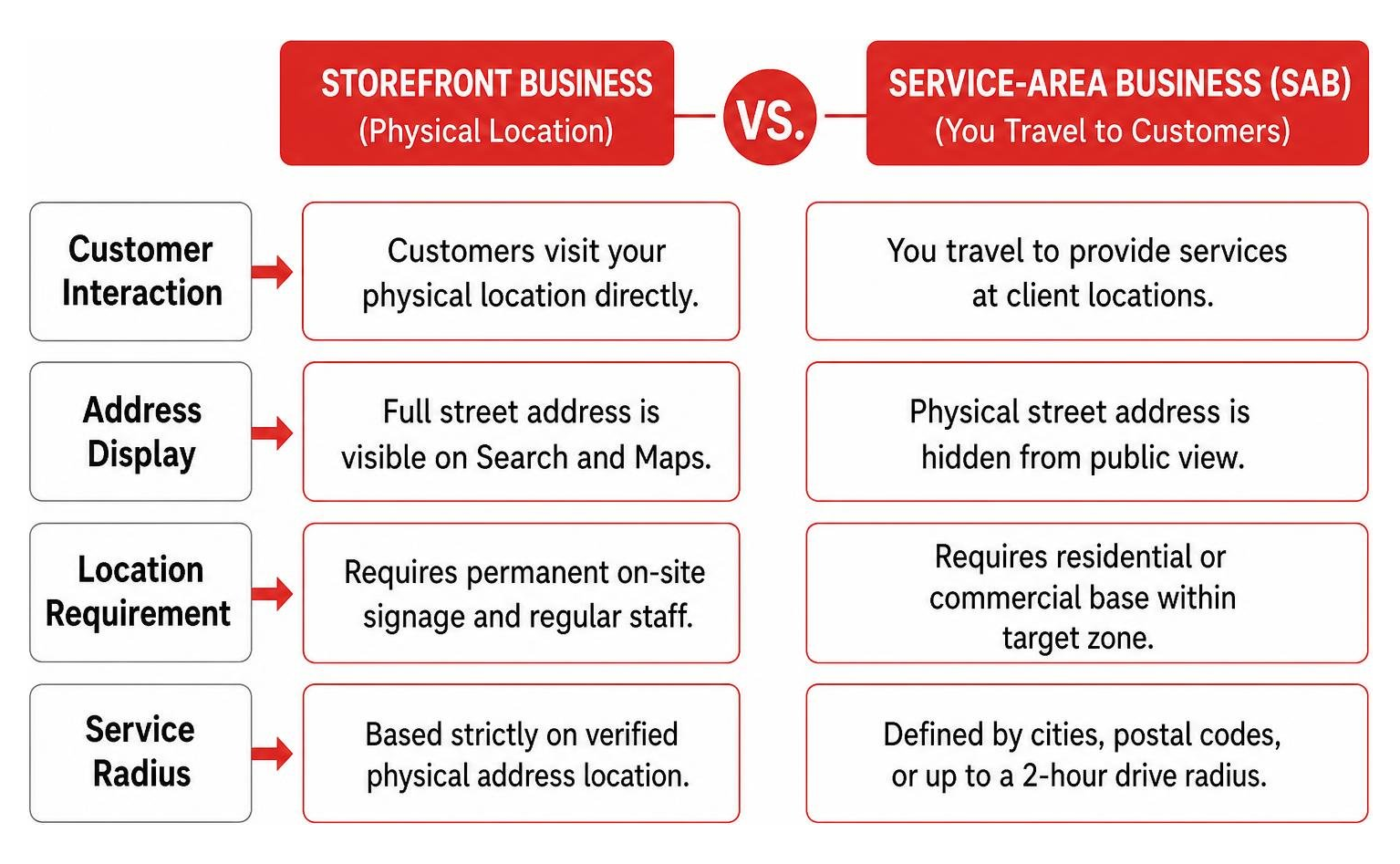
Choosing the proper business structure determines how your address is presented to the public:
| Profile Configuration | Physical Storefront Business | Service-Area Business (SAB) |
|---|---|---|
| Customer Interaction | Customers visit your physical location directly. | You travel to provide services at client locations. |
| Address Display | Full street address is visible on Search and Maps. | Physical street address is hidden from public view. |
| Location Requirement | Requires permanent on-site signage and regular staff. | Requires residential or commercial base within target zone. |
| Service Radius | Based strictly on verified physical address location. | Defined by cities, postal codes, or up to a 2-hour drive radius. |
Account Claiming: How to Set Up Google Business Profile for Maximum Results with Accurate NAP
Before creating a brand-new listing, search for your business name on Google and Google Maps to ensure an unverified, auto-generated profile does not already exist. If an existing profile appears, select “Claim this business” or “Own this business?” to start the claiming workflow.
If duplicate listings exist for your company, merge or remove them through support channels before proceeding. Allowing duplicate listings to linger splits incoming review signals and confuses the local algorithm. When configuring administrative access, always retain Primary Owner status under your main company account. If you work with external partners, grant them Manager permissions rather than transferring full profile ownership.
Video Verification: How to Set Up Google Business Profile for Maximum Results and Fast Approval
Video verification serves as the primary verification protocol across most industries. Google uses unedited video recordings to confirm real-world legitimacy. Preparing ahead of time prevents delays. Reviewing key Google Business Profile Video Verification Tips helps ensure your footage satisfies automated and manual review standards on the first attempt.
Your recorded video must be one continuous, unbroken take showing:
- Physical Location: Exterior street signs, building numbers, and surrounding landmarks.
- Business Proof: Permanent exterior or interior signage, office branding, licensing documents, or branded vehicles.
- Operational Evidence: Unlocking the facility, accessing employee-only software, POS systems, or demonstrating the tools used to perform your trade.
Optimizing Profile Fields for Maximum Search Visibility
Once verified, completing 100% of available profile fields maximizes your exposure across discovery searches. Over 80% of consumer interactions originate from broad discovery queries rather than direct brand searches, making comprehensive profile setup vital for lead capture.
Category Selection Strategy
Your primary business category carries substantial algorithmic weight in determining relevance. It explicitly tells the search engine what your business is, rather than merely what it has.
- Select the Most Specific Primary Category: Choose the exact niche that represents your primary revenue driver. A specialized classification outranks a broad category for high-intent terms.
- Add Relevant Secondary Categories: Select secondary categories to reflect supplementary service lines. Avoid adding loosely related categories, as over-saturation dilutes your core topical relevance.
Business Description, Services, and Attributes
- 750-Character Business Description: Write a concise, professional overview highlighting core capabilities, distinct value propositions, and primary service regions. Avoid sales hype, special character formatting, or URLs, which violate platform policies.
- Services Menu: Populate your service catalog with distinct service items accompanied by clear descriptions. These individual service entries function like internal landing pages that the algorithm crawls to match niche queries.
- Attributes: Select every applicable attribute available in your dashboard, including payment methods, accessibility features, and amenities. Attributes act as structured data filters that allow your profile to surface in refined, highly specific user searches.
- Operating Hours: Maintain accurate regular hours, and update special holiday hours in advance. Providing accurate operational data prevents frustrated customer visits and protects your brand reputation.
Driving Engagement with Visuals, Posts, and Reviews
An optimized profile requires continuous engagement signals to sustain top-tier prominence. Google prioritizes active, growing entities that regularly demonstrate customer interactions.
Visual Asset Strategy
Profiles featuring frequent photo uploads achieve significantly higher engagement than static listings. Businesses with rich photo catalogs receive 42% more direction requests and 35% more website clicks. Refer to A Practical Guide to Google Business Photos to establish a reliable media workflow.
- Upload authentic, high-resolution photography showcasing your team, facility, equipment, and completed projects.
- Avoid heavy promotional overlays, excessive filters, or generic stock photography, which can trigger automated image rejection.
- Add fresh photos consistently every month to demonstrate ongoing operational activity.
Weekly Publishing and Updates
Publishing weekly updates signals to Google that your company is open, active, and communicative. Check our guide on How to Master Google Business Posts in 30 Days for structured content frameworks.
Focus your posts on informational announcements, seasonal offers, or recent achievements. Always include an eye-catching photo and a direct call-to-action button (such as “Call Now” or “Learn More”) directing users to dedicated pages on your website.
Review Acquisition and Reputation Management
Customer reviews remain one of the strongest ranking signals for local prominence and conversion. In fact, 93% of consumers report that online reviews influence their purchasing decisions, and 97% actively read reviews before selecting a local business. Profiles with over 50 authentic reviews detailing services and locations experience a 50% increase in click-through rates.
Understanding Why Google Reviews Are Your SEO Secret Weapon reinforces the necessity of building an ongoing reputation engine:
- Maintain Consistent Review Velocity: A steady influx of genuine reviews over time carries far more ranking weight than sudden, sporadic spikes in review volume.
- Respond to All Feedback Within 24-48 Hours: Over 60% of businesses fail to reply to reviews, yet 67% of consumers state they would return to a business that responds promptly.
- Incorporate Natural Context: When replying to customer reviews, naturally reference the specific service provided. This contextual relevance reinforces the entity association in local search indexes.
- Handle Negative Feedback Professionally: Acknowledge concerns empathetically, provide direct offline contact options, and resolve complaints quickly.
Performance Tracking and AI Search Readiness
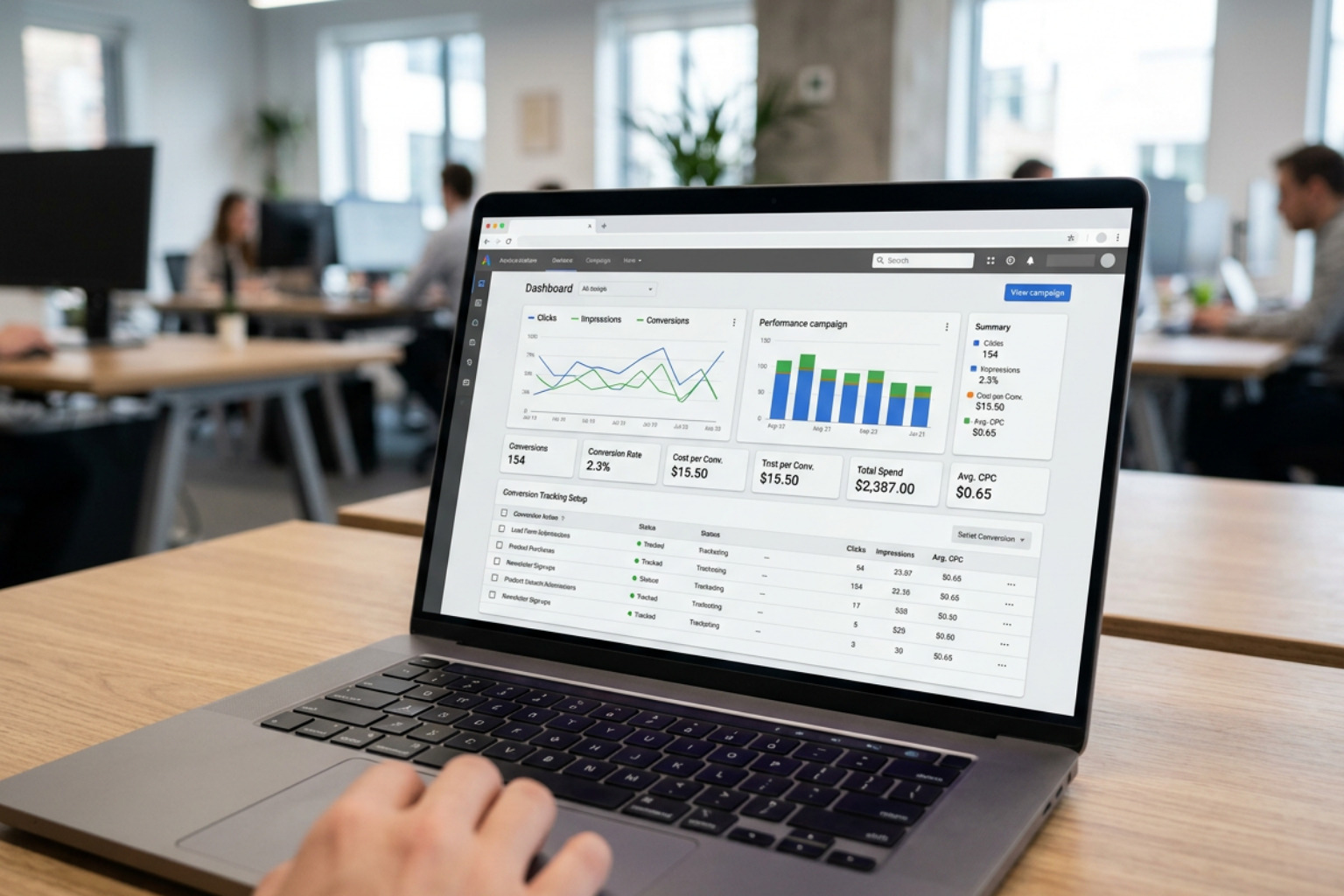
Managing a local profile requires monitoring business metrics rather than vanity numbers. Within your analytics dashboard, concentrate on high-intent actions: direct phone calls, direction requests, and website clicks. These figures reflect genuine lead generation.
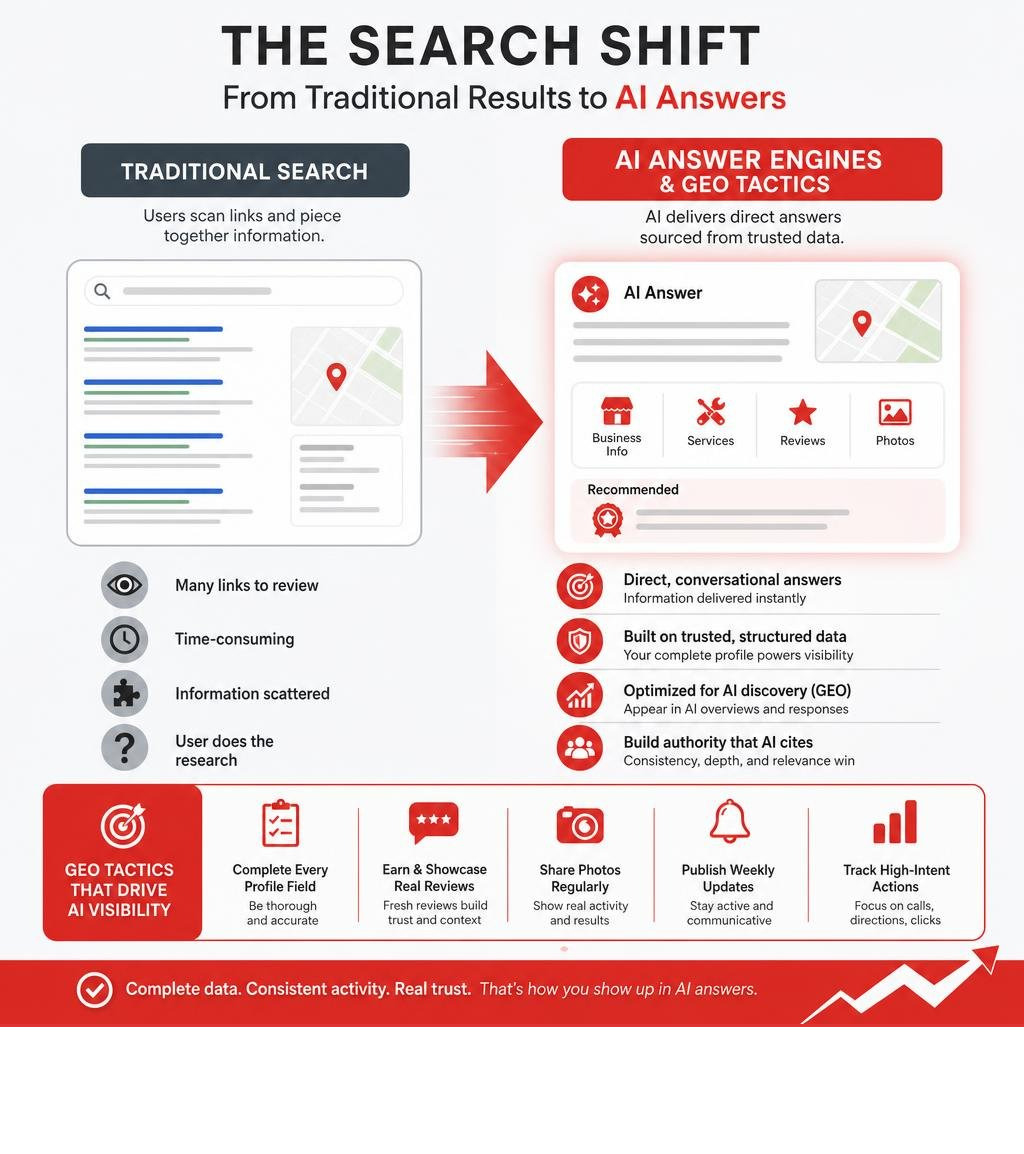
Search is undergoing a major shift. Generative search engines and AI models now synthesize local data to provide direct answers. This emergence of Generative Engine Optimization (GEO) requires local businesses to maintain complete, structured data across every profile field.
AI answer engines extract context directly from your service lists, business attributes, detailed customer reviews, and website content to deliver conversational recommendations. Our analysis of AI and Local SEO GBP highlights how structured local data ensures your company is accurately cited by modern AI search models. Building this algorithmic authority takes time; an effective SEO campaign requires 12-18 months to establish market authority, build review depth, and achieve consistent lead generation.
Frequently Asked Questions About Google Business Setup
What is the most important ranking factor on a Google Business Profile?
The primary category selection is widely considered the single most impactful on-profile ranking factor. It establishes the primary relevance layer between your listing and user search queries. Selecting an overly broad or incorrect primary category significantly harms your ranking potential across high-intent local searches.
How long does it take to see ranking improvements from profile optimization?
While initial visibility improvements and engagement signals can emerge within the first several weeks following complete profile configuration, sustained local ranking dominance requires an ongoing commitment. A good SEO campaign takes 12-18 months for results to fully mature, as algorithmic authority builds through steady review velocity, citation consistency, and regular engagement signals.
What should you do if your profile verification gets stuck or fails?
If your video verification fails or remains pending indefinitely, compile thorough verification assets before contacting support. Prepare official business registration licenses, utility bills displaying your exact business name and address, clear photographs of permanent on-site signage, and branded vehicles. Submit a support ticket detailing your setup along with these official supporting documents to request a manual review.
Conclusion
Optimizing your profile is not a one-time administrative chore; it is an ongoing asset that drives qualified leads directly to your business. By establishing verified NAP consistency, configuring precise categories, expanding detailed service menus, publishing weekly updates, and cultivating genuine reviews, you position your brand to dominate local search.
Achieving durable local visibility demands strategic execution and ongoing optimization. To maximize your search presence and accelerate organic inbound leads, explore our specialized Google Business Profile Optimization services. We implement proven, high-ROI local SEO strategies that help your business build prominence, capture market share, and convert local searches into lifelong clients.