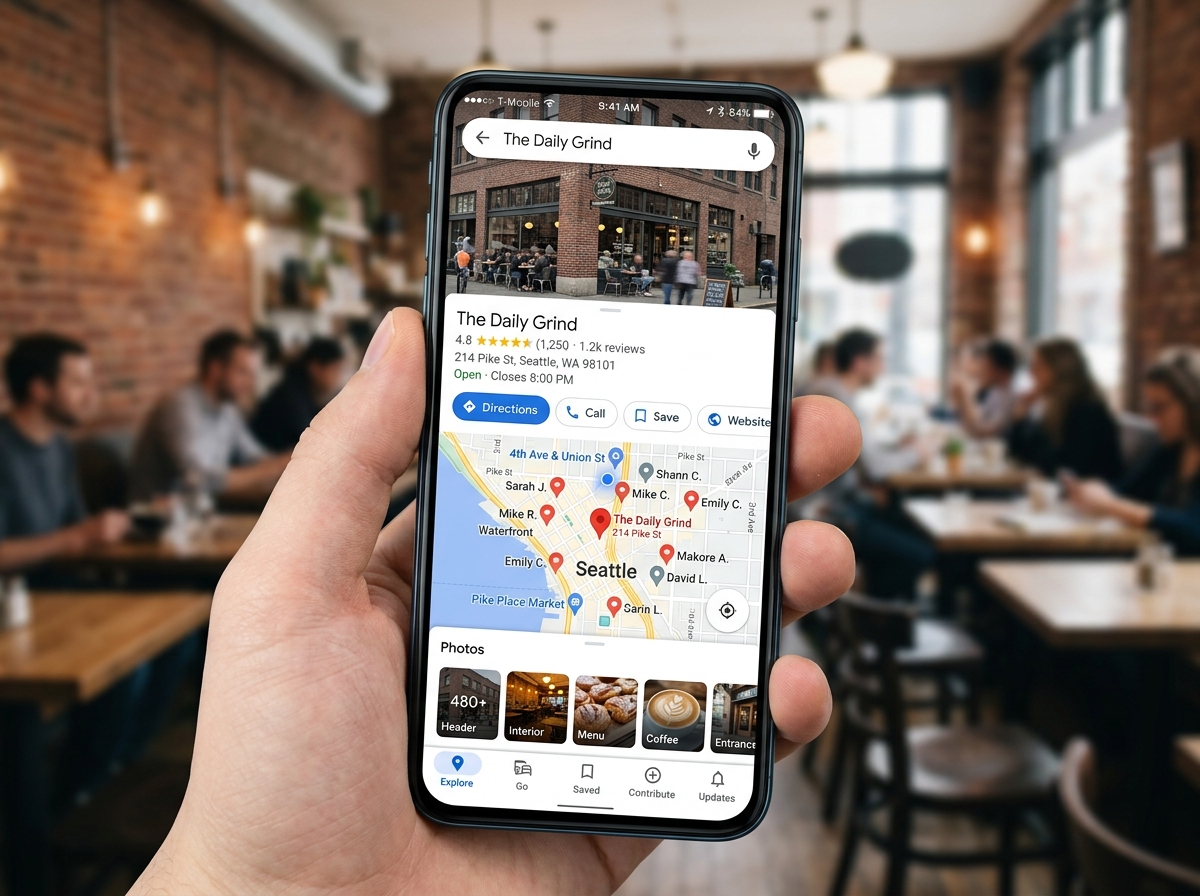
Why Google Business Profile SEO Is Your Fastest Path to More Local Customers
Google Business Profile SEO is the process of optimizing your free Google Business Profile (GBP) listing so your business shows up higher in Google Search and Maps when nearby customers are looking for what you offer.
Here’s a quick summary of what moves the needle:
| Optimization Area | Why It Matters |
|---|---|
| Complete profile info (NAP, hours, categories) | Tells Google exactly what you do and where |
| Primary category selection | Single biggest ranking signal for local results |
| Reviews (volume, recency, responses) | Account for ~19-20% of local ranking factors |
| Photos and Google Posts | Drive engagement and send freshness signals |
| NAP consistency across the web | Builds trust with Google and customers |
| Website alignment and schema | Reinforces your profile data for AI search |
Nearly 46% of all Google searches have local intent. And almost 80% of people search for local businesses every single week. When someone near you searches for what you sell, Google decides in milliseconds which businesses to show — and a well-optimized profile is how you get to the top of that list.
That list is called the Local 3-Pack — the three businesses Google highlights at the top of local search results. Getting into it can mean the difference between a phone that rings and one that doesn’t.
But most business owners set up their profile once and never touch it again. That’s a missed opportunity. GBP signals account for an estimated 32-35% of local search ranking factors, making it the single highest-leverage thing you can do for local visibility — for free.
I’m Rob Dietz, founder of the Dietz Group, and I’ve been managing Google marketing campaigns since 2008. Google Business Profile SEO is one of the core local strategies I use to help small businesses get found, get calls, and grow without the headaches. Let’s walk through exactly what to do.

The Fundamentals of Google Business Profile SEO
If the phrase “Search Engine Optimization” makes you want to take a nap, think of it this way: Google is just a very picky matchmaker. It wants to introduce its users to the best, most relevant business nearby. To do that, it looks at three main factors: Relevance, Distance, and Prominence.
- Relevance: How well does your profile match the search? If someone searches for “emergency plumber,” and your profile says you are a “plumbing contractor” with a list of emergency services, you are relevant.
- Distance: How far are you from the person searching? You can’t change your physical location, but you can ensure Google knows exactly where you are.
- Prominence: How “famous” is your business? Google measures this through your reviews, your website’s strength, and how often your business is mentioned across the web.
Understanding what is a Google Business Profile is the first step. It is essentially your digital storefront on Google Maps. Whether you have a physical office in Monroe, NC, or you serve customers at their homes, your profile must be set up correctly for the type of business you run.
Brick-and-Mortar vs. Service-Area Businesses (SAB)
Not every business has a lobby where customers wait. If you’re a plumber, electrician, or house cleaner, you likely travel to your customers. Google handles these differently.
| Feature | Brick-and-Mortar | Service-Area Business (SAB) |
|---|---|---|
| Address Visibility | Publicly displayed on Maps | Hidden from the public |
| Verification | Requires proof of physical location | Requires proof of business at home/base |
| Ranking Radius | Centered around the storefront | Based on the defined service area |
| Best For | Retail, Restaurants, Dental Offices | Plumbers, Landscapers, Mobile Detailers |
Regardless of your model, NAP consistency is non-negotiable. NAP stands for Name, Address, and Phone number. If your business is “Monroe Plumbing Pros” on Google but “Monroe Plumbing & Drain” on your website and “Plumbing Pros of NC” on Yelp, Google gets confused. When Google gets confused, it stops showing your profile.
Since over 70% of Google traffic comes from mobile devices, your profile is often the very first thing a customer sees. If they can’t click your phone number to call you or click your address for directions because the info is wrong, they’ll move to the next business in the list. This is why local SEO services for small businesses focus so heavily on cleaning up these details.
Claiming and Verification Basics
Before you can optimize anything, you have to own the listing. If you haven’t already, go to google.com/business to see if your business exists. Sometimes Google creates listings automatically based on information it finds online. If you see your business but don’t control it, click “Own this business?” to start the claim process.
Verification is Google’s way of making sure you aren’t a prankster or a scammer. There are several options to verify your business:
- Postcard: The most common method. Google mails a physical postcard with a code to your business address. It usually arrives within 14 days. Do not change your business info while waiting, or you might void the code!
- Phone or Email: Some lucky businesses get the option for instant verification via a text or email code.
- Video Verification: This is becoming more common. You’ll need to record a video showing your street sign, your building exterior, and your interior workspace or business tools. We have compiled specific Google Business Profile Video Verification Tips to help you get through this without a headache.
- Search Console: If you’ve already verified your website through Google Search Console using the same email address, you might get verified instantly.
High-Impact Optimization Tactics
Once you’re in, it’s time to turn the dials. Most people fill out the name and phone number and stop. To actually rank, you need to go deeper.

Choosing Your Categories
The “Primary Category” is the single most powerful lever in google business profile seo. If you are a “Personal Injury Attorney,” don’t just pick “Lawyer.” Be as specific as possible. You can also add up to nine secondary categories. If you’re a grocery store that also has a pharmacy and a deli, add those as secondary categories so you show up for those specific searches too.
We often suggest following the official guidelines for representing your business to ensure you don’t pick categories that are irrelevant, which can actually dilute your ranking power. For more quick wins, check out our 3 tips to optimize your Google Business Profile.
Optimizing Core Information for Google Business Profile SEO
Your business description is your chance to pitch the customer. You have 750 characters, but only the first 250 show up before the “More” link. Use them wisely. Google recommends providing helpful details about what you do and your mission.
Pro Tip: Avoid keyword stuffing. Writing “We are the best plumber Monroe NC plumber plumbing repair Monroe” looks like spam to both humans and Google’s AI. Write like a person. Mention your specific services and what makes you unique.
- Services Menu: If you’re a service business, fill this out completely. Don’t just list “Landscaping.” List “Mulching,” “Lawn Mowing,” “Tree Trimming,” and “Sod Installation.” Each of these acts like a mini-keyword that helps Google match you to specific searches.
- Product Listings: Even if you don’t sell items online, use the Products section to showcase your main offerings. A roofer can list “Architectural Shingles” or “Metal Roofing” as products with photos and descriptions.
- Attributes: These are small tags like “Wheelchair accessible,” “Black-owned,” “Women-led,” or “Free Wi-Fi.” These are great for matching “filter” searches where a customer looks for a “restaurant with outdoor seating.”
- Hours: Keep these updated! Nothing earns a one-star review faster than a customer driving to your shop only to find you’re closed for a holiday you didn’t mark on your profile.
Driving Conversions with Google Business Profile SEO
Ranking is great, but calls are better. Visuals play a huge role here. Profiles with more than 100 photos receive significantly more calls and direction requests than those with just a few.
Photo Guidelines:
- Specs: Aim for 720×720 pixels minimum.
- Types: Upload shots of your exterior (so people can find you), your interior (to show the vibe), your team (to build trust), and your work in progress.
- Authenticity: Avoid stock photos. Google’s AI can tell the difference, and customers find stock photos “salesy” and untrustworthy.
Google Posts: Think of these as mini-ads or social media updates that live on your profile. You can post about special offers, new blog posts, or recent projects. They expire after six months, but posting once a week sends a “freshness signal” to Google that your business is active and thriving.
Interaction Features: Don’t ignore the “Messaging” and “Q&A” sections. You can talk to your customers with Google Business Profile Chat directly through the app.
As for the Q&A section, anyone can ask a question, and anyone can answer it. We recommend “seeding” your own Q&A. Use a personal account to ask the top 5 questions you get every day (e.g., “Do you offer emergency Saturday service?”), and then answer them from your business account. This controls the narrative and provides instant value to searchers.
Reviews, AI, and the Future of Local Search
Reviews are the lifeblood of google business profile seo. They account for nearly 20% of how Google decides to rank you. But it’s not just about having a 5-star rating. Google looks at:
- Volume: How many reviews do you have?
- Velocity: How often are you getting new ones?
- Recency: Is your last review from three years ago or three days ago?
- Sentiment: What are people actually saying?
When you respond to reviews (and you should respond to every single one), use natural language. If a customer mentions a specific service, like “The AC repair was fast,” your response could be, “We’re glad we could help with your AC repair in Monroe!” This reinforces your relevance for those keywords.
Dealing with the Dark Side
Fake reviews and scammers are a reality. If you get a suspicious review, flag it immediately. It’s also vital to avoid engaging with scammers who might call you claiming they work for Google and asking for money to “keep your listing active.” Google will never charge you for your Business Profile.
The Rise of AI and “Zero-Click” Search
Search is changing. With Google AI Overviews and Gemini, Google is now synthesizing answers directly from your profile data. Instead of just showing a list of links, AI might say, “Based on customer reviews, Monroe Plumbing Pros is known for their fast response times and expertise in water heater replacement.”
This makes AI and Local SEO GBP integration more important than ever. If your profile is thin or inaccurate, the AI won’t have the “entity clarity” it needs to recommend you. By filling out every attribute, service description, and Q&A, you are essentially “feeding” the AI the data it needs to choose you over a competitor.
Frequently Asked Questions about GBP
How long does it take to see ranking improvements?
If you update your primary category or add a dozen new photos today, you might see a slight bump in 7-14 days. However, for competitive moves — like jumping from the second page to the Local 3-Pack — it typically takes 30-90 days of consistent activity. Google needs time to see that your “Prominence” and “Relevance” are sustained. We often get asked, “Will Local SEO make a difference for a small business?” and the answer is a resounding yes, but it requires patience and a steady hand.
Can I optimize my profile without a physical office?
Absolutely. This is the “Service-Area Business” (SAB) model. You still need a physical address for Google to mail the verification postcard (usually your home), but you check the box that says “I deliver goods and services to my customers at their location.” This hides your home address from the public. You then define your service area by zip code or city.
Warning: Don’t set your service area to “North Carolina” if you only serve Monroe. Google prefers a 2-hour driving radius. Claiming too large an area can actually hurt your rankings because Google knows you aren’t “relevant” to someone six hours away.
What are the most common mistakes to avoid?
The biggest mistake is keyword stuffing your business name. If your legal name is “Main Street Bakery,” don’t name your profile “Main Street Bakery Best Cakes Cookies Monroe NC.” Google will eventually suspend your account for this.
Other common pitfalls include:
- Duplicate Listings: Having two profiles for the same location confuses Google. You should follow the process for merging duplicate accounts.
- Using a P.O. Box: Google requires a physical address for verification. Virtual offices and P.O. boxes are usually flagged and suspended.
- Ignoring Negative Reviews: A professional response to a bad review can actually build more trust with future customers than a perfect 5.0 rating with zero engagement.
Conclusion
At the end of the day, google business profile seo isn’t about “gaming the system.” It’s about being the most helpful, transparent, and active business in your local community. When you provide Google with high-quality data — photos, accurate hours, detailed services, and genuine customer interactions — Google rewards you with visibility.
At the Dietz Group, we’ve spent over 18 years refining these high-ROI local strategies. We combine deep expertise with the latest AI technology to ensure our clients in Monroe, NC, and beyond dominate their local search results. We don’t just “set it and forget it”; we monitor performance, adjust to algorithm shifts, and focus on high-intent searches that actually turn into leads.
If you’re ready to stop stressing over your rankings and start seeing more customers, explore our Google Business Profile Management Services. We’ll handle the technical heavy lifting so you can get back to running your business.