Why Your Google Business Reviews Can Make or Break Your Local Reputation
If you need to manage Google Business reviews quickly, here’s how:
- Find your reviews — Search your business name on Google, open Google Maps, or log into your Google Business Profile dashboard.
- Reply to a review — From your verified Business Profile, click “Read reviews,” then hit “Reply” next to any review.
- Edit or delete your reply — Under your posted reply, select “Edit” or “Delete.”
- Report a violating review — Click the three-dot menu next to the review, select “Report review,” and choose the policy violation reason.
- Appeal a rejected removal — Use the Reviews Management Tool to check status and submit a one-time appeal for up to 10 reviews.
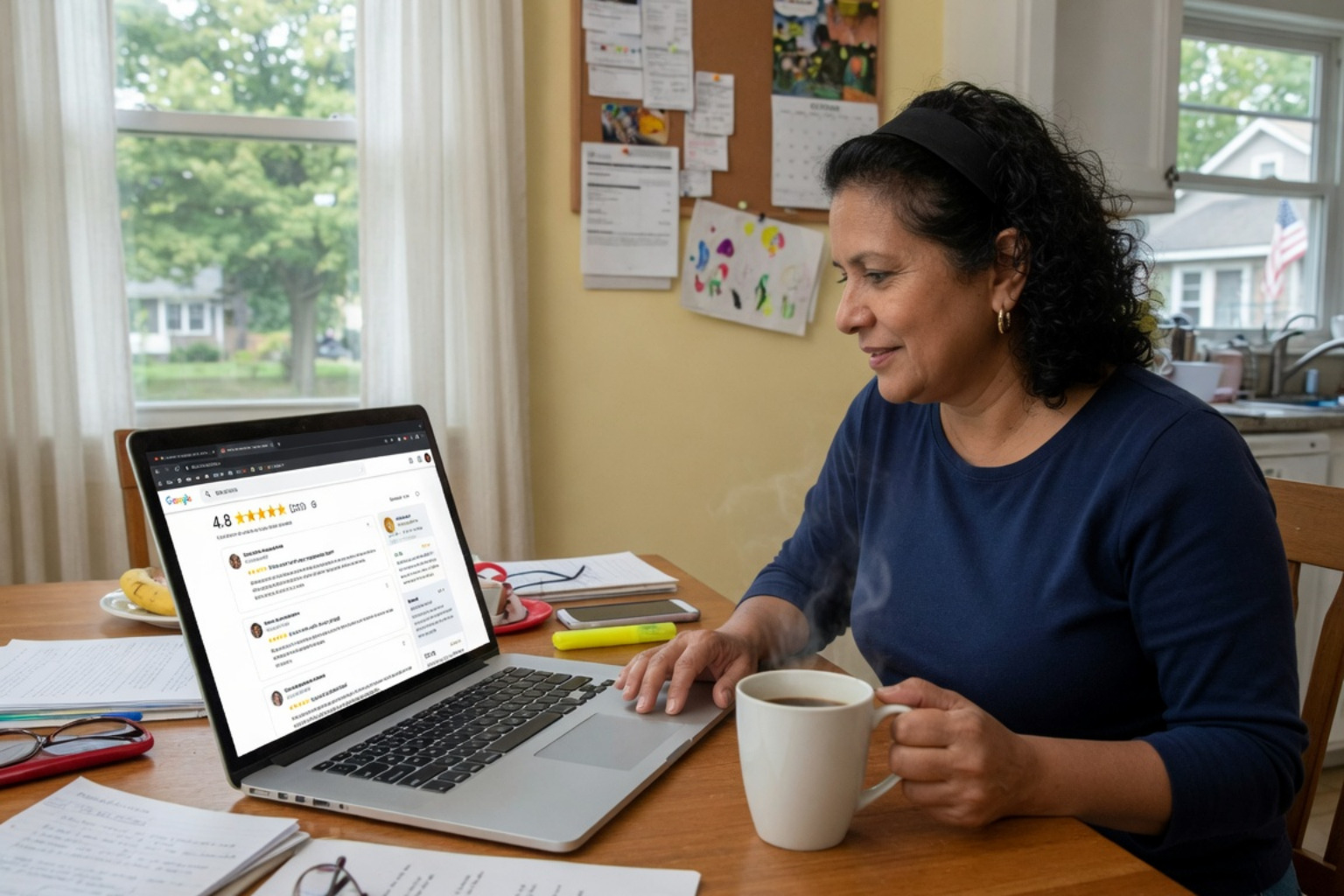
Your customers are talking about your business online — and almost all of them are reading what others say before they ever call you or walk through your door. In fact, 98% of consumers read online reviews for local businesses, and research shows that 88% of people are more likely to contact a business when the owner takes the time to respond to reviews.
That’s a huge opportunity. And a real risk if you ignore it.
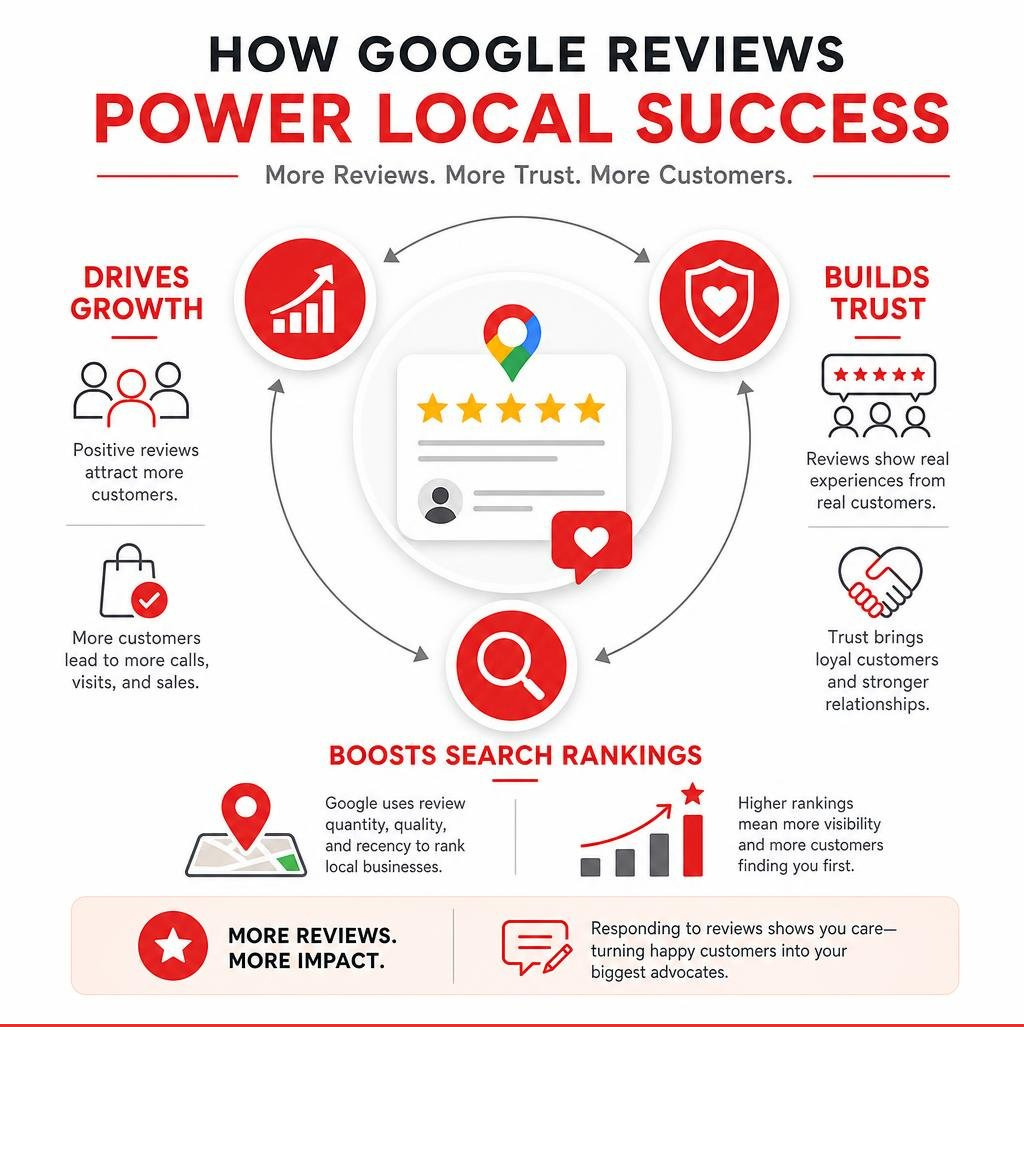
Google reviews don’t just shape your reputation. They directly influence how high your business ranks in local search and on Google Maps. Every unanswered review — especially a negative one — is a signal to potential customers that you might not be paying attention.
The good news? Managing your reviews doesn’t have to be complicated or time-consuming, even if you’re running a busy small business.
I’m Rob Dietz, and over my 18+ years in digital marketing I’ve helped countless local businesses manage Google Business reviews as part of a broader strategy to improve search visibility and build lasting customer trust. In the sections below, I’ll walk you through exactly what you need to know — from finding and responding to reviews, to reporting fake ones and growing your positive reputation.
Manage Google Business reviews terms to know:
How to Manage Google Business Reviews to Boost Local SEO
When you manage Google Business reviews actively, you aren’t just engaging in a polite PR exercise. You are feeding Google’s ranking algorithm exactly what it wants. Many business owners don’t realize that Google’s local search algorithm places immense weight on review signals: the quantity of reviews, the average star rating, how recently reviews were posted, and—crucially—how consistently the business owner responds.
With 30% to 60% of all local service leads originating directly from Google Business Profiles, your reviews are the lifeblood of your digital lead generation. Every time you respond to a review, you signal to Google that your business is open, active, and highly engaged with its customer base.
The Shift to AI and Generative Engine Optimization (GEO)
As we navigate 2026, the search landscape is undergoing a massive transformation. Traditional Search Engine Results Pages (SERPs) are rapidly shifting toward AI-generated answer engines. When users ask an AI assistant for a local recommendation—such as “Who is the most reliable plumber near me with great customer service?”—the AI doesn’t just pull from basic business listings. It crawls your Google Business Profile reviews, analyzing the sentiment, keywords, and tone of your customer feedback.
This shift has birthed a new discipline: Generative Engine Optimization (GEO). To win in this AI-driven search era, you must optimize your profile so that AI engines trust your business enough to recommend it in their synthesized answers. A profile with high-quality, keyword-rich reviews and a 100% owner response rate is far more likely to be featured in these AI search answers.
SEO vs. PPC: The Long-Term Value Play
While Pay-Per-Click (PPC) advertising can buy you immediate visibility at the top of search results, it is a short-term strategy. The moment you stop paying for ads, your traffic vanishes. Conversely, investing in a robust Local SEO and review management strategy builds a compounding asset.
It is important to understand that a highly effective, comprehensive SEO campaign is a marathon, not a sprint—it typically takes 12 to 18 months to see substantial, sustainable organic ranking results. However, once established, those high organic rankings deliver high-intent leads without ongoing paid campaign requirements.
| Feature / Benefit | Local SEO & Review Management (GEO) | Pay-Per-Click (PPC) Advertising |
|---|---|---|
| Primary Investment Model | Long-term asset building; organic growth | Ongoing ad budget required |
| Timeline for Results | Typically takes 12 to 18 months for major impact | Near-instant visibility |
| Lead Quality | High-intent, organic local service leads | Highly targeted, but transactional |
| Trust & Credibility | Extremely high (backed by social proof) | Moderate (clearly marked as sponsored ads) |
| Sustainability | Compounding value that persists over time | Traffic stops immediately when budget ends |
To explore this dynamic in greater detail, take a look at our guide on Do Online Reviews Really Matter? to understand how customer feedback acts as the ultimate trust signal for your organic search presence.

Finding, Replying to, and Flagging Google Reviews
To successfully manage Google Business reviews, you first need to know where to look. Google has integrated review management directly into its core ecosystem, allowing verified business owners to access their feedback across Google Search, Google Maps, and the Google Business Profile dashboard.
When you are logged into the Google Account associated with your business, simply typing your business name into Google Search or searching for your business in Google Maps will bring up your merchant management panel. From there, you can view your public information, check your performance metrics, and access your reviews instantly.
For official step-by-step documentation on how these systems interact, you can consult the Manage customer reviews – Google Business Profile Help page.
Step-by-Step Guide to Manage Google Business Reviews and Replies
Once you have located your reviews, maintaining a consistent reply workflow is vital. Here is the exact process to read, reply to, and modify your responses:
- Access Your Profile: Sign in to the Google Account used to manage your Business Profile.
- Open the Reviews Panel: On Google Search, locate your business card and click on “Read reviews.” On Google Maps, tap your profile icon, select your Business Profile, and navigate to the reviews section.
- Write and Submit Your Reply: Scroll to the review you wish to address, click the “Reply” button, type your response, and click “Submit.”
- Understand Customer Notifications: When you reply, Google reviews your response for policy compliance (which usually takes up to 10 minutes, though in rare cases it can take longer). Once approved, the customer is automatically notified of your reply.
- Editing or Deleting Your Reply: If you spot a typo or need to update your response after a customer updates their review, simply navigate back to the review on your profile. Beneath your posted reply, click “Edit” to modify the text or “Delete” to remove it entirely.

By actively engaging in this cycle, you show both Google and your potential customers that you are highly responsive. For more tips on maximizing your profile’s overall setup, check out our resource on 3 Tips to Optimize Your Google Business Profile.
How to Manage Google Business Reviews Across Multiple Locations
For enterprises and growing local brands, managing reviews across multiple physical locations requires a systematic approach. If you operate three, ten, or dozens of locations, logging into individual profiles manually to reply to every customer is highly inefficient.
To maintain brand consistency and operational efficiency, businesses can leverage programmatic solutions. By utilizing the Google Business Profile API, your development team or digital marketing partner can pull review data from multiple locations into a single, centralized dashboard. This allows your team to monitor, analyze, and reply to reviews at scale without missing a single customer touchpoint.
To learn more about setting up programmatic access, you can read the developer documentation on how to Work with review data | Google Business Profile APIs | Google for Developers. Additionally, keeping all your locations optimized is much easier when you follow Your Essential Google Business Profile Optimization Checklist.
Identifying and Reporting Policy-Violating Reviews
Unfortunately, not every review left on your profile will be legitimate. Businesses occasionally face spam, harassment, conflicts of interest (such as a competitor leaving a 1-star review), or coordinated “review bombs” where dozens of fraudulent 1-star reviews are posted simultaneously.
It is crucial to understand that you cannot delete a review simply because you disagree with it or dislike the feedback. However, if a review violates Google’s Terms of Service, you can report it for removal.
Common Policy Violations to Watch For:
- Spam and Fake Content: Reviews that do not reflect a genuine customer experience or are posted multiple times.
- Off-Topic Rants: Reviews that discuss social or political views rather than the business’s actual services.
- Conflict of Interest: Reviews left by competitors, former employees, or the business owner themselves.
- Harassment or Profanity: Content that is abusive, discriminatory, or contains hate speech.
How to Report and Appeal:
- Flag the Review: Click the three-dot menu next to the offending review on Search or Maps, select “Report review,” and choose the specific policy violation.
- Check Status via the Reviews Management Tool: You can monitor the progress of your removal request using Google’s dedicated Manage your Google Business reviews workflow. Google typically evaluates flagged reviews within three business days.
- Submit a One-Time Appeal: If Google rejects your initial request and decides the review does not violate their policies, do not panic. You can submit a one-time appeal through the Reviews Management Tool. You can select up to 10 reviews, attach clear evidence of fraud (such as proof of a review bomb or lack of customer records), and submit it for a manual secondary review.
For a deeper dive into the technical details of flagging content, view the official help guide on how to Report inappropriate reviews on your Business Profile – Google Business Profile Help.
Strategic Reputation Management: Negative Reviews and Review Growth
A highly rated, active Google Business Profile is a primary trust signal online. To build a stellar reputation, you need a balanced strategy that handles negative feedback gracefully while consistently generating fresh, positive reviews from satisfied clients. For a comprehensive look at maximizing your overall presence, refer to our Ultimate Google Business Profile Management Guide.
The Art of Responding to Negative Feedback
Receiving a negative review can feel like a punch in the gut, but it is actually a massive opportunity to showcase your professionalism to future clients. When potential customers read negative reviews, they aren’t just looking at the complaint—they are looking to see how you respond to it.
Best Practices for Negative Responses:
- Keep Your Cool: Never respond defensively, angrily, or with sarcasm. Maintain a professional, empathetic brand voice.
- Acknowledge and Apologize: Validate the customer’s frustration, even if you believe their complaint is unfair. A simple, “We are incredibly sorry to hear that your experience did not meet your expectations,” goes a long way.
- Take the Conversation Offline: Do not hash out details in the public comments section. Provide a direct phone number or email address and invite them to reach out to resolve the issue. For example: “We would love the chance to make this right. Please contact our manager directly at our office so we can address your concerns.”
For a deeper look at turning bad situations into wins, explore our guides on What to Do If You Get a Negative Online Review and The Art of the Comeback: Handling Negative Feedback Like a Pro.
Ethical Strategies to Encourage More Positive Reviews
The absolute best defense against the occasional negative review is a steady, proactive offense of positive customer feedback.
To grow your review count ethically, you must strictly adhere to Google’s guidelines. Never incentivize reviews. Offering discounts, free products, or financial rewards in exchange for a Google review is a direct violation of Google’s policies and can result in your entire profile being suspended or your reviews being wiped out overnight.
Instead, make it incredibly easy for your customers to share their honest feedback:
- Generate a Shareable Review Link: From your Business Profile dashboard, copy your unique “Get more reviews” short link and share it via text, email, or digital invoices.
- Create QR Codes: Print custom QR codes on your receipts, business cards, or physical signage in your shop, directing customers straight to your review page.
- Follow Up via Email: Send a polite, personalized follow-up email shortly after completing a service, thanking them for their business and asking them to share their experience.
To learn more about structured approaches to profile optimization and growth, read our guide on Google Business Profile Management.
Frequently Asked Questions About Google Reviews
Can I delete a Google review that someone left for my business?
No, you cannot directly delete a Google review left by a customer. Only the person who wrote the review can edit or delete it, or Google can remove it if it is found to violate their official content policies. If you encounter a fake, abusive, or spam review, you must flag it through the reporting process and wait for Google’s team to assess and remove it.
How long does Google take to remove a reported review?
Google’s automated spam detection and manual review teams typically take up to three business days to evaluate a flagged review. If the review remains live after three business days and you are certain it violates Google’s policies, you can log into the Reviews Management Tool to check the status and submit a manual, one-time appeal.
Is it safe to use AI to help manage and respond to reviews?
Yes, using AI to assist with review management is highly effective, provided you maintain human quality control. AI can help draft highly personalized, professional responses in seconds and automatically translate reviews in multiple languages. However, you should always review AI-generated responses before publishing to ensure they match your unique brand voice and accurately address specific customer experiences.
Conclusion
Effectively managing your Google Business reviews is no longer an optional chore—it is a critical growth driver for local businesses. In the modern era of Generative Engine Optimization (GEO) and AI search answers, your online reputation dictates your visibility.
At Dietz Group, we bring over 18 years of digital marketing expertise, combining advanced AI technology with proven high-ROI strategies to help businesses dominate local search results. We specialize in Local SEO, GEO, and Search Engine Marketing (SEM) to connect you with high-intent searchers. A truly successful SEO campaign is a long-term asset that takes 12 to 18 months to yield maximum search dominance—but the compounding leads and trust it builds are well worth the wait.
Ready to take control of your local search presence and scale your lead generation? Let us handle the heavy lifting. Explore our Google Business Profile Management Services today and let’s start building your digital authority together.