Why Managing Your Google Business Profile Is Your Most Valuable Local Marketing Move
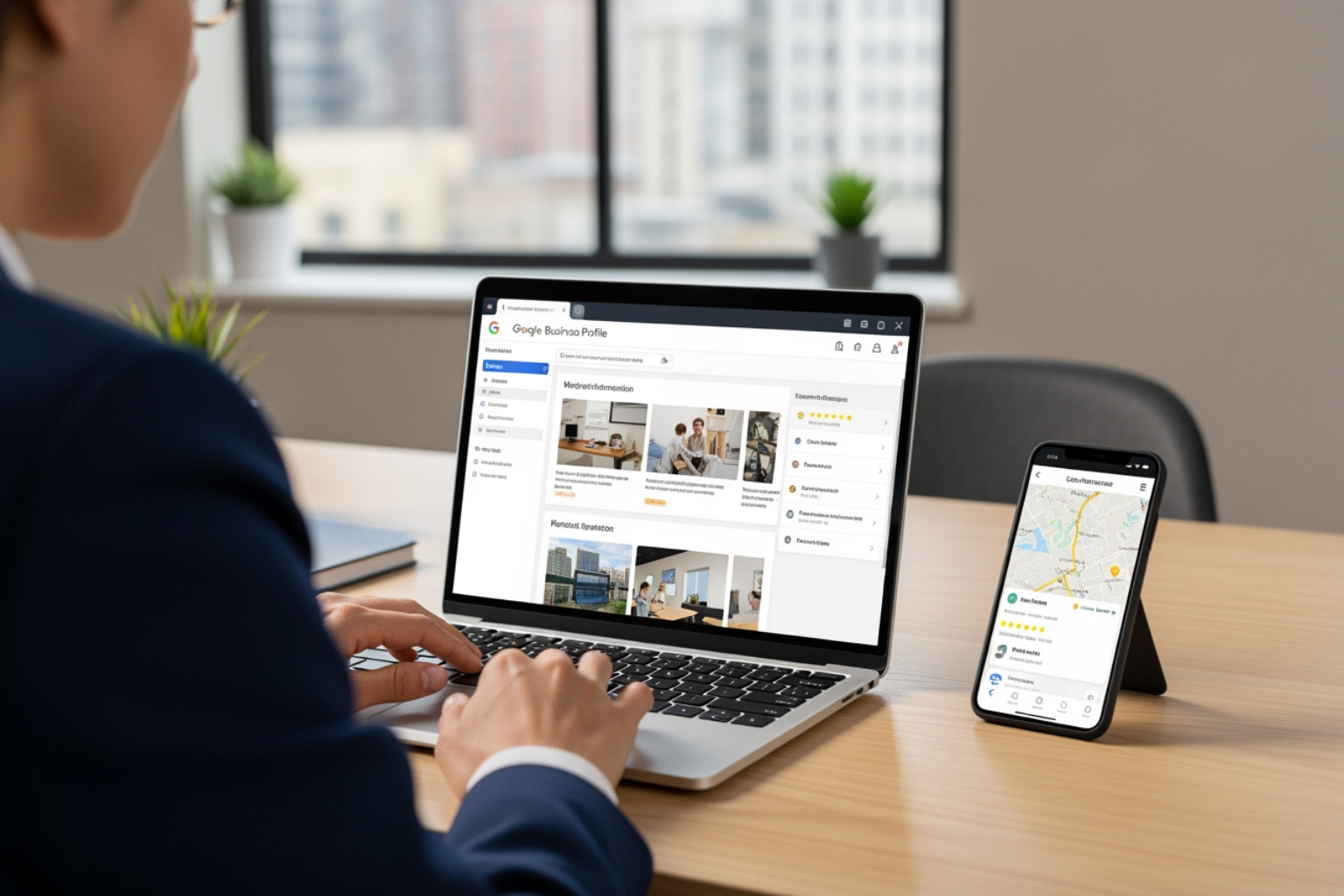
Managing your Google Business Profile is one of the highest-impact things a local business owner can do to get found online and turn searchers into paying customers.
Here’s a quick overview of what it involves:
| Task | Why It Matters |
|---|---|
| Claim and verify your profile | Makes your business visible on Google Search and Maps |
| Keep business info accurate | Builds trust and prevents lost customers |
| Choose the right categories | Tells Google exactly what your business does |
| Add photos and updates | Drives more calls, clicks, and direction requests |
| Respond to reviews | Boosts reputation and local ranking signals |
| Monitor performance insights | Shows what’s working and what needs improvement |
Your Google Business Profile is often the very first thing a potential customer sees — before your website, before your ads, before anything else. When someone searches for a local service, Google typically shows a “Local Pack” of business listings right at the top of the results. That prime real estate is yours to win or lose based on how well your profile is managed.
The numbers back this up. Around 60% of smartphone users contact businesses directly from their Google Business Profile. And over half of consumers will simply skip any business rated below 4 stars. Your profile isn’t just a listing — it’s a live, public first impression running 24/7.
In 2026, the stakes are even higher. AI-powered search tools are increasingly pulling business information directly into answers without users ever clicking a link. If your profile is incomplete or inaccurate, you’re invisible — not just on traditional search, but in the AI answers your future customers are already using.
I’m Rob Dietz, a digital marketing consultant with over 18 years of experience and a Google Ads Search Partner who has been helping businesses grow their local presence since 2008 — managing Google Business Profile optimization is one of the core pillars of the local SEO strategies I build for clients. Let’s walk through exactly what it takes to do it right.
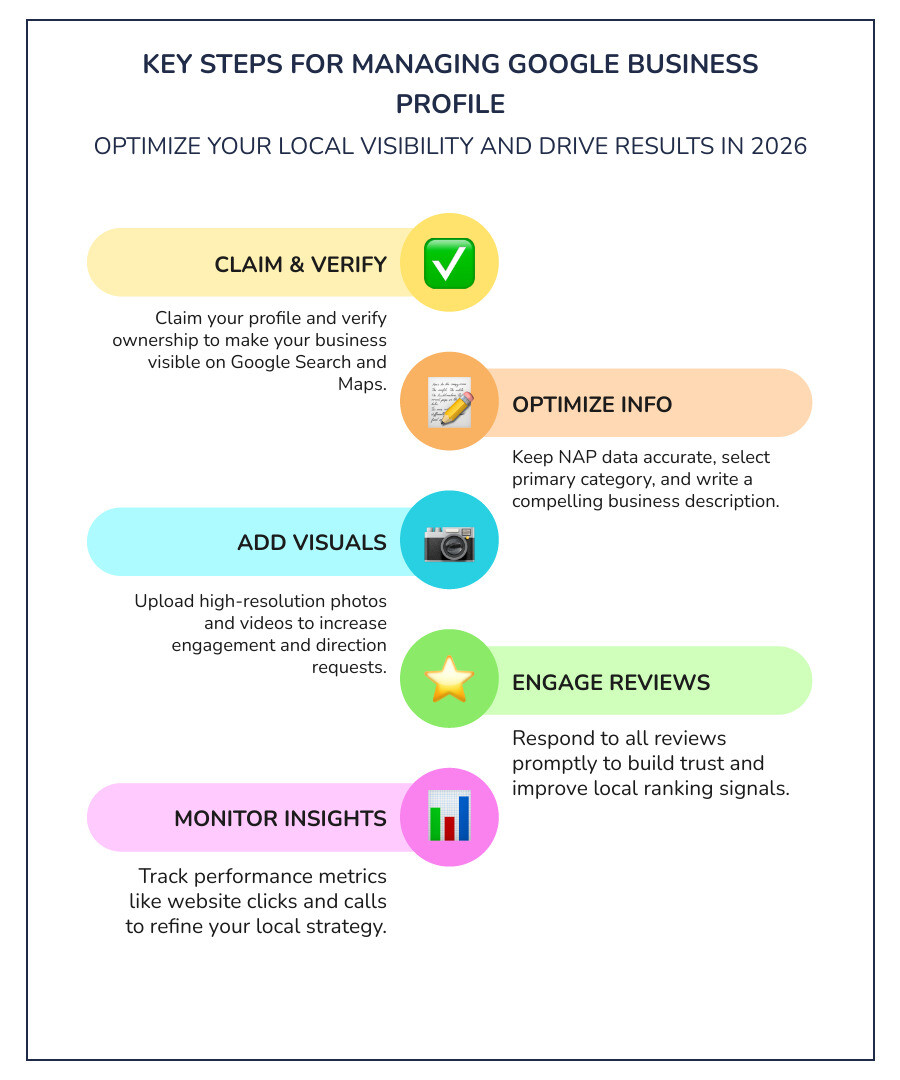
Essential managing google business profile terms:
Getting Started: Claiming and Verifying Your Profile
Before we can dive into high-level optimization, we have to make sure you actually own the digital keys to your castle. If you don’t already have a profile, the first step is to visit the official Get Listed on Google page to begin the process.
For many businesses, a profile might already exist because Google generates them based on public records. If that’s the case, you’ll need to “claim” it. This involves searching for your business name on Google Maps and selecting “Claim this business.” If someone else has already verified it — perhaps a former employee or an old agency — you’ll have to request access through the platform.
The Verification Hurdle
Verification is Google’s way of ensuring you are who you say you are. While postcard verification used to be the standard, in 2026, we see a heavy emphasis on mobile and video methods.
- Video Verification: This is increasingly common. You’ll be asked to record a continuous video showing your business location, your equipment, and proof of management (like opening a locked door or showing a business license). If you run into trouble, check out our Google Business Profile Video Verification Tips for a smooth experience.
- Phone or Email: Some lucky businesses are offered instant verification via a code sent to a business phone or email, though this is usually reserved for businesses with a long-standing history.
Once you submit your verification, it can take up to seven business days for Google to review it. Verified businesses are twice as likely to be considered reputable by consumers. For a deeper dive into the “how-to,” our guide on How Do I Get a Google Business Profile is a great place to start.
Core Strategies for Managing Google Business Profile
Once verified, the real work of managing Google Business Profile begins. Think of your profile as a living document. It needs to be precise, consistent, and constantly updated.
NAP Consistency: The Foundation
NAP stands for Name, Address, and Phone Number. Google’s algorithms are obsessed with consistency. If your name is “Main Street Plumbing” on Google but “Main St. Plumbers” on your website, you’re sending mixed signals. Your business name must match your real-world signage and branding exactly. Avoid the temptation to “keyword stuff” your name (e.g., “Main Street Plumbing – Best Drain Cleaning Dallas”). This is a violation of Google’s guidelines and can lead to immediate suspension.
Mastering Categories
Your primary category is arguably the most important setting in your entire profile. It tells Google what your business is, not just what it does.
- Primary Category: Choose the most specific option possible. If you’re a specialized “Italian Restaurant,” don’t just settle for “Restaurant.”
- Secondary Categories: You can add up to nine additional categories. Use these to list other facets of your business, like “Pizza Delivery” or “Catering Service.”
Crafting a Winning Business Description
You have 750 characters to tell your story. Don’t waste them on salesy fluff. Focus on your mission, your history, and what makes you unique. While you shouldn’t include URLs or HTML code here, you should naturally include keywords that describe your services. For more technical help on making these changes, Google’s Edit your Business Profile help page provides the step-by-step mechanics.
Optimizing Information for Managing Google Business Profile
A complete profile is a high-performing profile. We often see businesses leave “optional” fields blank, which is a massive missed opportunity for local visibility.
Operating Hours and Accuracy
Nothing kills customer trust faster than driving to a store that says “Open” on Google but is actually closed. Keep your standard hours updated, and more importantly, use the “Special Hours” feature for holidays or unexpected closures. Even a small “trust hit” like this can prevent a customer from ever returning.
Attributes and Social Links
Attributes are factual details about your business, such as “Wi-Fi available,” “Wheelchair accessible,” or “Veteran-led.” These are increasingly used as filters in search results. Additionally, you can now link your social media profiles directly to your Google listing. This creates a cohesive digital footprint that helps both Google and your customers understand your brand.
For a comprehensive checklist, our Ultimate Google Business Profile Management Guide covers every field you should be filling out to stay ahead of the competition.
Visual Content and Engagement for Managing Google Business Profile
In 2026, search is visual. Profiles with high-quality photos receive significantly more requests for directions and website clicks than those without.
The Power of Photos and Video
Don’t just upload a grainy photo of your storefront and call it a day. You need a mix of:
- Exterior shots: To help people find you.
- Interior shots: To give customers a “feel” for the atmosphere.
- Product/Service shots: Show your team in action or your finished work.
- Team photos: Humanize your brand.
Short video updates (up to 30 seconds) are also a fantastic way to engage users. They make your business feel “tangible” and reduce the hesitation a customer might feel before reaching out.
Managing Reviews Like a Pro
Reviews are the lifeblood of local search. Over half of consumers won’t even consider a business with less than a 4-star rating. But it’s not just about the stars; it’s about the interaction.
We recommend a “review system” rather than just asking for them randomly. At Dietz Group, we help businesses implement repeatable workflows to request reviews immediately after a job is completed. When you get a review, respond to it!
- Positive reviews: Thank the customer by name and mention the specific service provided.
- Negative reviews: Stay professional. Apologize, offer to make it right, and try to take the conversation offline. Handling a negative review well can actually build more trust than a dozen perfect ones. Check out The Art of the Comeback for strategies on turning critics into fans.
Advanced Tactics: GEO and AI-Driven Visibility
As we move deeper into 2026, the landscape of search is shifting from traditional lists of links to AI-generated answers. This is where Generative Engine Optimization (GEO) comes into play.
Google’s AI models look for “prominence, relevance, and distance” to determine which businesses to feature in AI summaries.
- Relevance: How well does your profile match the user’s intent?
- Distance: How close are you to the searcher?
- Prominence: How well-known is your business? This is fueled by your reviews, your website’s SEO, and how often your business is mentioned across the web.
To win in the age of AI, your profile needs to be a source of “structured data” for Google. Every update you post and every service you list provides more context for the AI to understand why you are the best answer to a user’s question. You can find more on this in our guide on How to Make Google Fall in Love with Your Business Profile.
Avoiding Suspensions and Maintaining Compliance
Google is strict about its rules. A suspension can take your business off the map literally overnight, and the reinstatement process is often slow and frustrating.
Common Pitfalls to Avoid:
- Keyword Stuffing: Adding extra words to your business name.
- Virtual Offices: Using a P.O. Box or a co-working space address where you don’t actually have staff present during business hours.
- Duplicate Listings: Having more than one profile for the same physical location.
- Prohibited Content: Posting photos or updates that contain restricted items or offensive material.
Managing Access
Security is a key part of managing Google Business Profile. You should never share your Google account password. Instead, use the “People and access” settings to invite others as Owners or Managers.
- Owners: Can add/remove users and delete the profile.
- Managers: Can edit information, post updates, and respond to reviews but cannot manage users.
If you’re working with an agency, ensure they are added as a manager, not the primary owner. You should always maintain ultimate control over your digital assets. For more details on roles, see Manage your Business Profile owners & managers.
Measuring Success and Long-Term Growth
One of the most common questions we get is: “How do I know this is actually working?” The answer lies in the “Insights” (now called Performance) section of your profile. Here, you can track:
- How many people called you directly from the profile.
- How many requested directions.
- Which keywords triggered your listing to appear.
- How many people clicked through to your website.
SEO vs. PPC: The Long Game
While Pay-Per-Click (PPC) ads can get you to the top of the page instantly, they stop working the moment the campaign ends. Local SEO, specifically managing Google Business Profile effectively, builds long-term search authority. It is an investment in an asset you own.
| Feature | Local SEO (GBP) | Pay-Per-Click (PPC) |
|---|---|---|
| Speed | 12-18 months for full results | Instant |
| Sustainability | High – builds long-term authority | Low – disappears when the campaign ends |
| Trust | High – organic results are more trusted | Moderate – clearly marked as ads |
At Dietz Group, we always tell our clients that a solid SEO campaign takes 12-18 months to show its true power. It’s about building a foundation of trust with Google’s algorithm that competitors can’t easily bypass.
Frequently Asked Questions about Google Business Profile
How long does it take to see results from local SEO?
As mentioned, you should expect a 12-18 month timeline to see significant, stable growth in your local rankings. While you might see small wins early on, building the “prominence” required to dominate the Local Pack takes consistent effort and time. Google needs to see a track record of accuracy and positive customer engagement before it fully trusts your business as a top-tier recommendation.
Can I manage multiple locations from one account?
Yes! If you have a business with multiple branches, you can use “Location Groups” to manage them all under one login. This allows for bulk updates and consistent branding across every storefront. However, each location must still be verified individually and have its own unique photos and reviews to rank well in its specific local area.
What is the difference between an owner and a manager?
The Primary Owner has full control, including the ability to delete the profile or remove other owners. An Owner can do almost everything a Primary Owner can, including adding other users. A Manager is strictly for day-to-day operations — they can update hours, post photos, and respond to reviews, but they cannot change who has access to the account.
Conclusion
Managing your Google Business Profile is not a “set it and forget it” task. In the competitive landscape of 2026, it requires a strategic, ongoing commitment to accuracy, engagement, and adaptation to new AI search technologies.
At Dietz Group, we specialize in helping businesses navigate these complexities. With over 18 years of expertise and a focus on high-ROI strategies, we use AI-driven technology to ensure your business doesn’t just appear in search results — it dominates them. Whether you’re looking to fix a suspended profile or want to supercharge your local lead generation, we’re here to help.
Ready to take your local presence to the next level? Explore our Google Business Profile Management Services and let’s start building your digital storefront today.