What Are Google Business Attributes — and Why Do They Matter for Local Search?
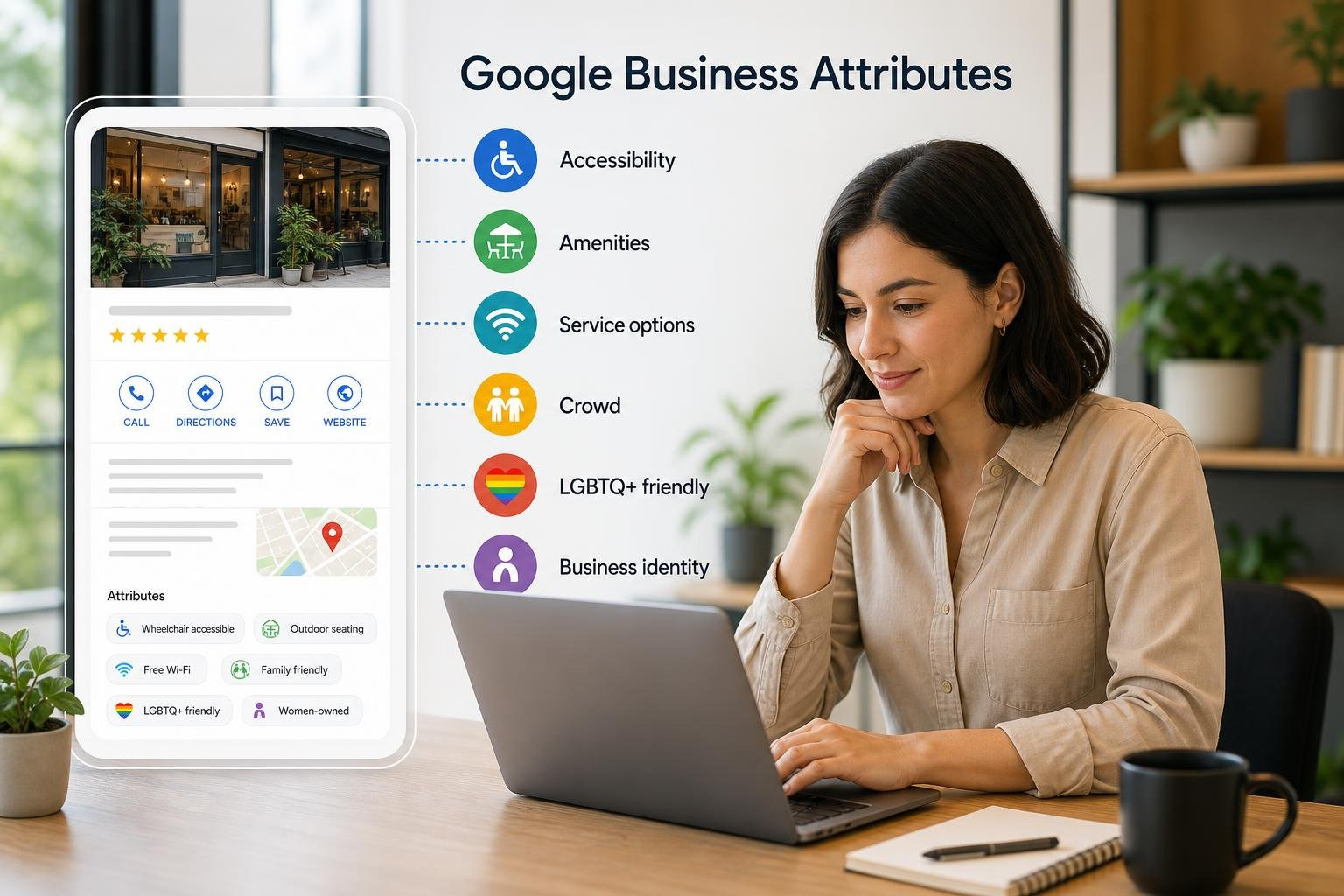
Google Business attributes are specific details you can add to your Google Business Profile to tell potential customers exactly what your business offers — things like wheelchair-accessible entrances, outdoor seating, or Wi-Fi.
Here’s a quick breakdown of what they are and how they work:
- What they are: Short, factual labels that describe your business features, amenities, and services
- Where they show up: Google Search, Google Maps, and your Business Profile
- Who controls them: You control most attributes directly; some are added automatically based on customer reviews and web mentions
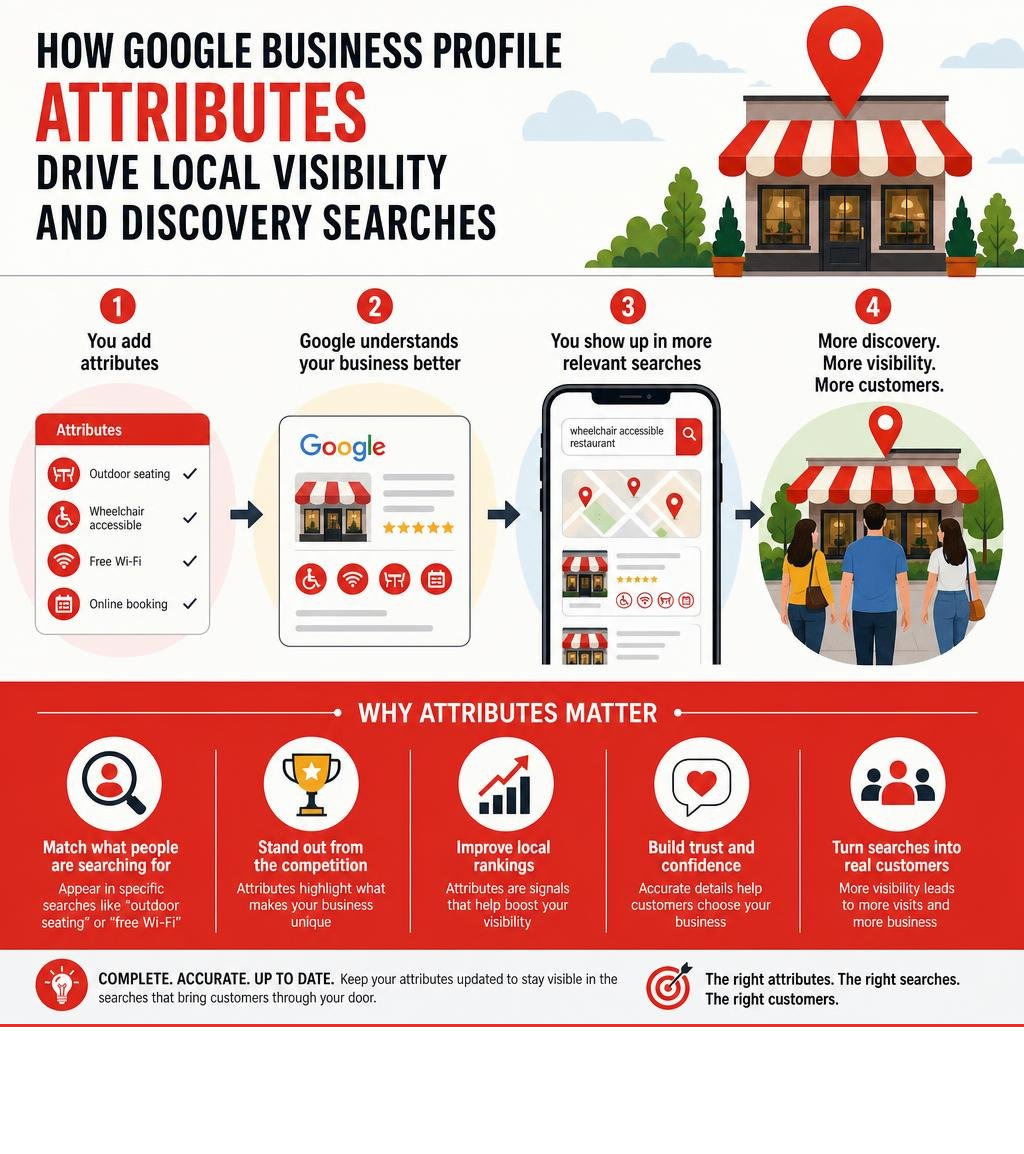
- Why they matter: They help your business appear in highly specific searches — like “wheelchair accessible restaurant” or “restaurant with outdoor seating”
- How to add them: Sign in to your Google Business Profile, click Edit profile, navigate to the More tab, and select the attributes that apply to your business
Think about this: 84% of searches on Google are discovery searches — meaning people are searching for a type of business, not a specific business name. Attributes are one of the key signals that determine whether your business shows up in those searches.
Most business owners focus on their business name, address, and phone number. But the details — the attributes — are often what separate businesses that get found from those that don’t.
And it’s not just traditional search anymore. AI-powered search tools are increasingly pulling structured business information to generate answers directly. That makes having complete, accurate attributes more important than ever.
I’m Rob Dietz, a digital marketing consultant with over 18 years of experience helping business owners get found online — including optimizing Google Business attributes as part of broader local SEO strategies since 2008. In this guide, I’ll walk you through everything you need to know to get the most out of your attributes.
Handy google business attributes terms:
Understanding Google Business Attributes and How They Work
To leverage google business attributes effectively, we first have to understand how Google structures information. When you create or update a profile, Google doesn’t just look at your business name; it seeks to categorize your business precisely so it can match you with high-intent search queries.
This classification process relies heavily on three core components:
- Primary Category: The main classification of your business (e.g., “Restaurant” or “Veterinary Hospital”). Your primary category is highly influential because it dictates which secondary categories and attributes are unlocked for your profile.
- Secondary Categories: Additional labels that describe other facets of your business (e.g., “Caterer” or “Pet Groomer”).
- Attributes: The granular, specific details that highlight your onsite experience, amenities, and service values.
Attributes are divided into two distinct types:
- Objective Attributes: These are factual characteristics that you, as the business owner, can directly select and edit (e.g., “Wheelchair-accessible restroom” or “Wi-Fi available”).
- Subjective Attributes: These are crowd-sourced characteristics that Google generates based on customer reviews and searcher feedback (e.g., “Cozy”, “Casual”, or “Popular with locals”).
If you want to dive straight into editing these on your own profile, you can Learn how to manage your business attributes directly through Google’s help resources.

The Difference Between Categories and Google Business Attributes
Think of categories as the broad umbrella under which your business sits, while attributes are the specific features under that umbrella.
For example, selecting “Italian Restaurant” as your primary category tells Google what you are. However, it doesn’t tell Google how you operate or what the onsite experience is like. That is where attributes come in. By selecting attributes like “Outdoor seating,” “Vegetarian options,” or “Wheelchair-accessible entrance,” you provide granular details that help consumers make real-time decisions.
We often see business owners make the mistake of relying solely on categories. But when a user searches for a highly specific onsite experience, categories aren’t enough. If you want to make sure your listing is fully configured from the ground up, start with The Ultimate Guide to Google Business Profile Setup to lay a strong foundation, and then use attributes to fill in the critical details. To understand the foundational structure of your listing as a whole, it also helps to step back and ask: What Is a Google Business Profile and how do all these moving parts fit together?
Objective vs. Subjective Google Business Attributes
The distinction between objective and subjective attributes is crucial for local business owners to understand.
Objective attributes are completely within your control. These are factual attributes that you can toggle on or off in your dashboard. If your business accepts credit cards, offers curbside pickup, or has a wheelchair-accessible elevator, you can state this as a fact. Google trusts your input on these items, although they can still be verified or suggested by users.
Subjective attributes, on the other hand, are user-generated attributes. You cannot log into your dashboard and toggle a switch to say your business is “romantic” or “good for kids.” Instead, Google relies on customer reviews, review sentiment, and user surveys to apply these badges.
For instance, if thirteen different reviews mention your “amazing tiramisu” and give you high ratings, Google may automatically display a “Great dessert” attribute on your profile. This is why managing customer sentiment is so critical. To influence these subjective badges, you need a proactive review strategy. We recommend reading our guides on How to Manage Google Business Reviews Effectively and learning how to Boost Your Google Star Ratings: The Ultimate Strategy Guide to naturally cultivate the positive reviews that generate these highly desirable subjective attributes.
How Attributes Boost Local SEO, GEO, and AI Search Visibility
Adding attributes is not just a housekeeping task; it is a powerful local search ranking lever. In the modern search landscape, we are witnessing a massive transition. Traditional search engine results pages (SERPs) are rapidly shifting toward AI-generated answers, a movement known as the shift to AI answers.
This evolution has introduced Generative Engine Optimization (GEO). Unlike traditional SEO, which focuses on keyword matching and backlink profiles, GEO optimizes your business data so that generative AI models can easily extract, trust, and present your business as the perfect solution to a user’s prompt.
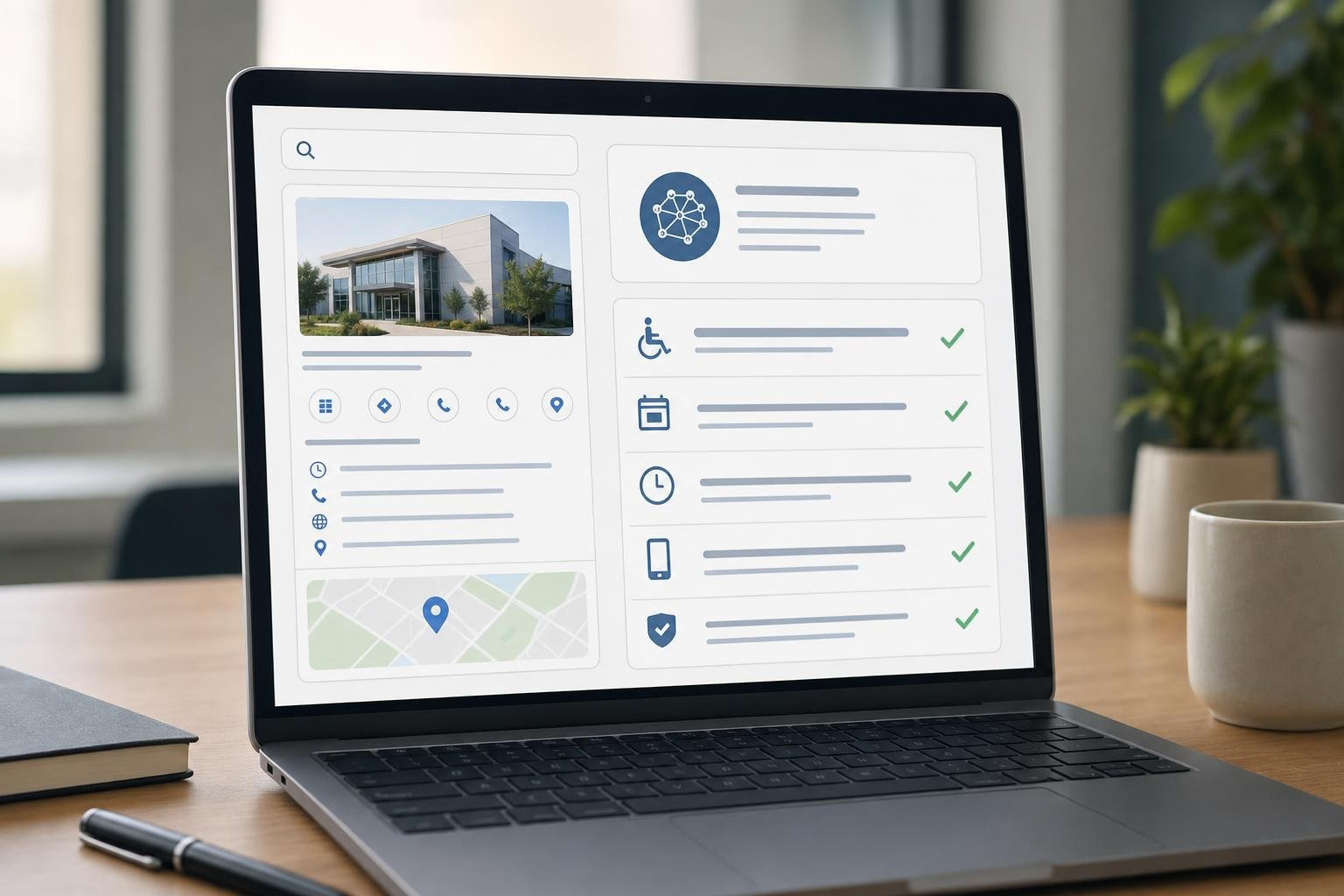
When users type complex, long-tail queries into an AI search engine—such as “find a small, women-owned digital marketing agency near me that has a wheelchair-accessible entrance and offers online consultations”—the AI doesn’t just look for keywords on your website. It crawls structured data. Your google business attributes serve as clean, structured, and verified data points that AI engines can instantly read and trust.
This represents a major shift in how we think about SEO vs PPC. While pay-per-click (PPC) advertising can buy you immediate visibility at the top of search results, it is highly transactional and stops the moment your budget runs out. A robust, attribute-rich SEO and GEO strategy builds long-term organic equity. It is important to remember that a good, comprehensive SEO campaign takes 12-18 months for results, but the authority and discovery search visibility you build during that time will pay dividends for years to come.
To maximize this visibility, you must ensure your profile is optimized to feed these AI search engines exactly what they want. For a deeper look at how to position your profile for this new era, check out our guide on AI and Local SEO GBP and discover How to Make Google Fall in Love with Your Business Profile. For a complete roadmap, we have also compiled the tactics you need in our guide: How to Supercharge Your Google Business Profile and Win Local Search.
Types of Attributes Available for Your Business Profile
Depending on your industry, location, and primary category, Google will present you with a tailored selection of attributes. While a restaurant will see options for dining, delivery, and alcohol, a retail store might see options for in-store pickup, and a professional service business will see options for online appointments.
Here is a breakdown of the primary objective attribute categories available:
- Accessibility Features: Crucial for helping individuals with disabilities navigate physical spaces. Google places a high priority on these. Options include wheelchair-accessible entrances (which should ideally meet the standard 3 feet or 1 meter width recommendation), wheelchair-accessible restrooms (minimum 1 meter wide entrance), wheelchair-accessible seating, parking, and elevators. Newer updates have also added assistive hearing loops, Auracast broadcast audio, and assisted listening devices.
- Amenities: General conveniences that improve the customer experience, such as Wi-Fi, public restrooms, or gender-neutral restrooms.
- Planning: Details that help customers prepare for their visit, such as “Appointments required” or “Accepts new patients” (common for medical and veterinary clinics).
- Service & Dining Options: For food and beverage businesses, this includes outdoor seating, dine-in, curbside pickup, no-contact delivery, and drive-through.
- Recycling Attributes: A fantastic way to attract eco-conscious consumers. You can specify if your location accepts recycling for batteries, clothing, electronics, glass bottles, metal cans, or plastic bags. Adding these will often display a distinctive recycling icon on your search listing!
- Business Identity: Labels that allow owners to share more about who they are. Options include identifying as Black-owned, Latino-owned, LGBTQ+ owned, Veteran-owned, Women-owned, or a “Small business” (note that franchises are restricted from using this label).
To explore the full list of updated attributes and how Google categorizes them, you can review the official Google help guide on how to Manage your business attributes.
To help you visualize how these attributes are structured, here is a quick reference table:
| Attribute Category | Typical Options Available | Who Can Use It? |
|---|---|---|
| Accessibility | Wheelchair entrance, Wheelchair restroom, Hearing loops, Auracast | Most physical brick-and-mortar locations |
| Amenities | Wi-Fi, Restrooms, Gender-neutral restrooms | Most businesses with physical offices/stores |
| Planning | Appointment required, Membership required | Professional services, medical, fitness |
| Service Options | Curbside pickup, In-store delivery, Online appointments | Retail, restaurants, professional services |
| Identity | Women-owned, Veteran-owned, Small business | Eligible independent businesses (no franchises) |
| Recycling | Battery recycling, Electronics recycling, Clothing recycling | Retailers, supermarkets, dedicated depots |
How to Add, Edit, and Manage Your Attributes
Managing your attributes is straightforward, whether you have a single location or manage a large enterprise with hundreds of storefronts.
For a single location, you can manage everything directly through Google Search or Google Maps:
- Log into the Google Account associated with your Business Profile.
- Search for your exact business name on Google Search or open the Google Maps app and tap your profile icon.
- Click on the Edit profile button.
- Scroll to and select the More tab.
- Under this tab, you will see your available attributes grouped by category (Accessibility, Amenities, planning, etc.).
- Click Edit next to a category, select Yes or No for each attribute, and click Save.
If you are managing a growing brand and need to audit your profile’s performance before making these updates, take a look at our guide: Is Your Google Business Profile Slacking? Here Is How to Audit It.
Bulk Management and API Options
For multi-location brands (10+ locations), updating attributes manually for every single storefront is highly inefficient. Google provides two main routes for bulk management:
- Bulk Upload Spreadsheet: You can download your locations into a spreadsheet from your bulk management dashboard, update the attribute columns, and re-upload the sheet.
- Google Business Profile API: For enterprise brands, programmatic access is the gold standard. Utilizing the API allows you to push real-time updates directly from your internal database or directory management tools.
Developers can retrieve a list of available attributes for any given category and country using the
attributes.list
method, and then update those values using
locations.updateAttributes
. Because attributes are dynamic and can be added or removed by Google at any time, programmatically checking the available metadata is highly recommended. You can read the technical documentation on how to Add attributes via Google Business Profile APIs to set up this integration.
To learn more about advanced management methods, read our comprehensive guides on Ultimate Guide to Google Business Profile Optimization and How to Manage Google Business Profile: 7 Methods That Guarantee Results.
Frequently Asked Questions About Google Business Attributes
Optimizing your profile often brings up a few technical questions. Here are the answers to the most common questions business owners ask us.
How long does it take for attribute changes to appear on Google Search and Maps?
Once you hit save, Google’s automated systems immediately begin reviewing your edits. For the vast majority of objective attributes, the review time is incredibly fast—often taking only about 10 minutes. However, if your profile is under manual review, or if you are making bulk updates to multiple locations, it can sometimes take up to 30 days for the changes to fully propagate across Google Search and Google Maps.
Are there any limitations on which attributes my business can use?
Yes. Google enforces strict category restrictions, country availability constraints, and location-specific rules. For example, if your primary category is “Lawyer,” you will not see dining or recycling attributes. Similarly, certain identity attributes or localized features may only be available in specific countries or regions. Google’s API documentation notes that attributes are highly dynamic and can change without notice based on consumer search trends.
Can users add or change attributes on my profile without my permission?
Yes, but only in certain ways. While users cannot log into your dashboard and edit your objective attributes, they can influence your profile through crowd-sourced data. Google frequently prompts searchers with quick questions like, “Is this place wheelchair accessible?” or “Is this establishment cozy?”
If a large volume of users contradict your settings or consistently label your business as “cozy,” Google may apply those subjective attributes automatically or suggest an edit to your dashboard. This underscores the importance of maintaining an accurate profile and monitoring your user reviews regularly to ensure your public-facing information remains correct.
Conclusion
Optimizing your google business attributes is one of the easiest, most cost-effective ways to increase your local search visibility, prepare for the future of GEO and AI answers, and drive high-intent discovery searches directly to your door.
While the process of toggling these attributes is simple, designing a comprehensive local search strategy that incorporates SEO, SEM, and GEO requires deep expertise. At Dietz Group, we bring over 18 years of digital marketing experience and proven, high-ROI strategies to help your business dominate local search results. We understand that a successful local SEO campaign takes 12-18 months for results, which is why we focus on sustainable, long-term growth tactics that build lasting digital equity for your brand.
Ready to take your local search presence to the next level? Let us handle the heavy lifting. Get professional Google Business Profile Management Services from Dietz Group today and make sure your business never misses out on a local lead.